> For the complete documentation index, see [llms.txt](https://academy.gopersonal.ai/llms.txt). Markdown versions of documentation pages are available by appending `.md` to page URLs; this page is available as [Markdown](https://academy.gopersonal.ai/en/admin-ui/broadcasts/text-generator.md).
# Text Generator
The "Text Generator" is a feature designed to simplify the message creation process for platform administrators, including marketing and product owners. By seamlessly integrating AI-generated text suggestions across various channels, this functionality empowers users to create messages with ease. It facilitates the generation of contextually relevant content, streamlining communication efforts.
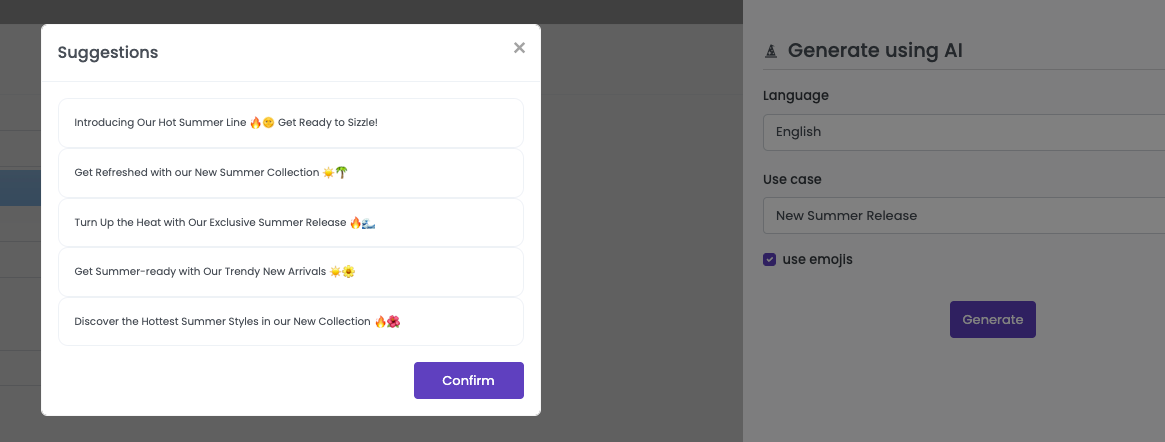
By pressing the button you get access to a form where you can select the language, a brief description of your use case and check if your want your text with emojis.
You will receive context-aware text suggestions for the field and channel you desire. For example, the title of a push notification or the body of an SMS.
After selecting a suggestion and confirming the field, it will be automatically populated with the chosen text. Remember, you have the flexibility to modify the suggestion or add variables to personalize the message further.

 you get access to a form where you can select the language, a brief description of your use case and check if your want your text with emojis.