> For the complete documentation index, see [llms.txt](https://academy.gopersonal.ai/llms.txt). Markdown versions of documentation pages are available by appending `.md` to page URLs; this page is available as [Markdown](https://academy.gopersonal.ai/en/admin-ui/personalizations/api-personalization.md).
# API personalization
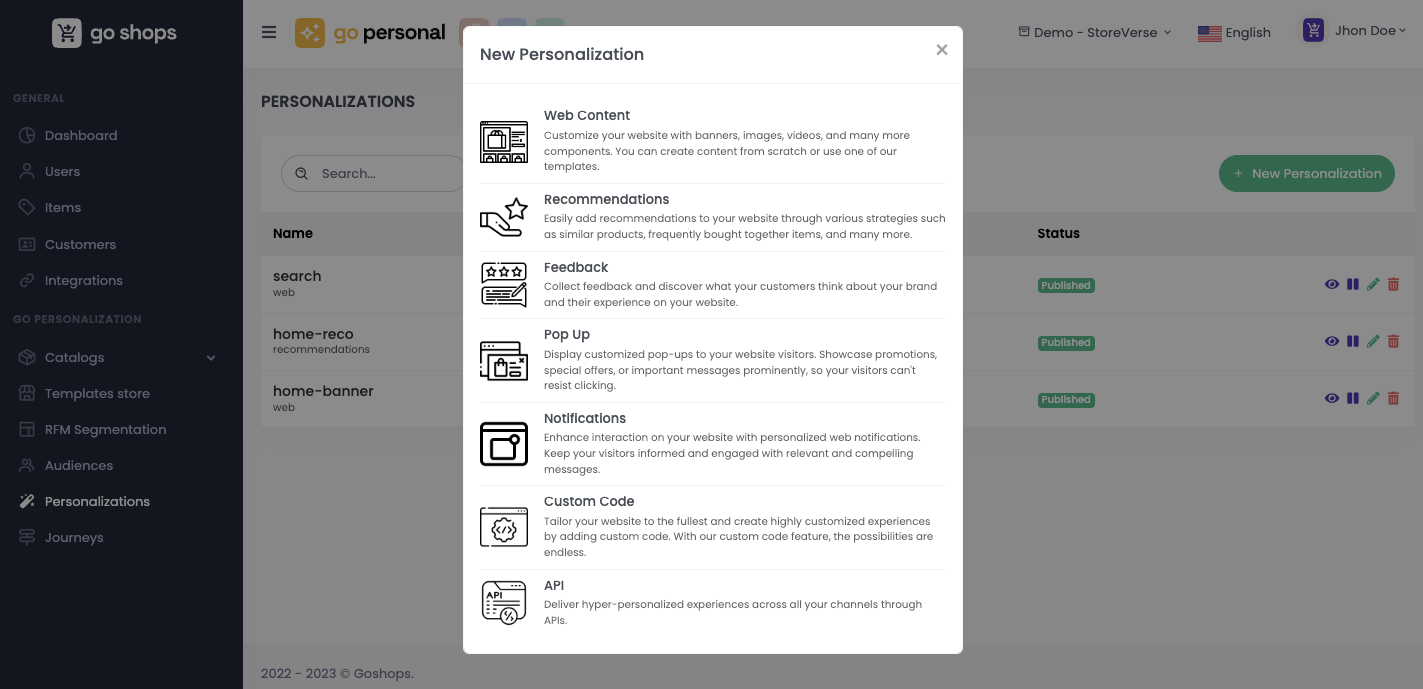
To create a new personalization with type API, click on the "New Personalization" button and select "API".
Next, you'll need to provide some required details, such as the name and ID:
**Required Details:**
* **Name:** Assign a descriptive name to easily identify your personalization.
* **ID:** Provide a unique identifier for the personalization.
* **Goal:** The goal for this personalization. Check out more about goals [here](/en/admin-ui/catalogs/goals.md).
Once set up, you can start creating experiences for this personalization. Press the "New Experience" button.
* [Experiences](/en/admin-ui/personalizations/experiences.md)
In this section, you can duplicate an existing experience, modify it, or delete it.
{% hint style="info" %}
The order of experiences is crucial. If a customer qualifies for more than one experience, the order configured determines priority. You can adjust the order using drag & drop functionality.
{% endhint %}