> For the complete documentation index, see [llms.txt](https://academy.gopersonal.ai/llms.txt). Markdown versions of documentation pages are available by appending `.md` to page URLs; this page is available as [Markdown](https://academy.gopersonal.ai/guia-de-usuario/go-search/configuraciones/sinonimos.md).

# Sinónimos

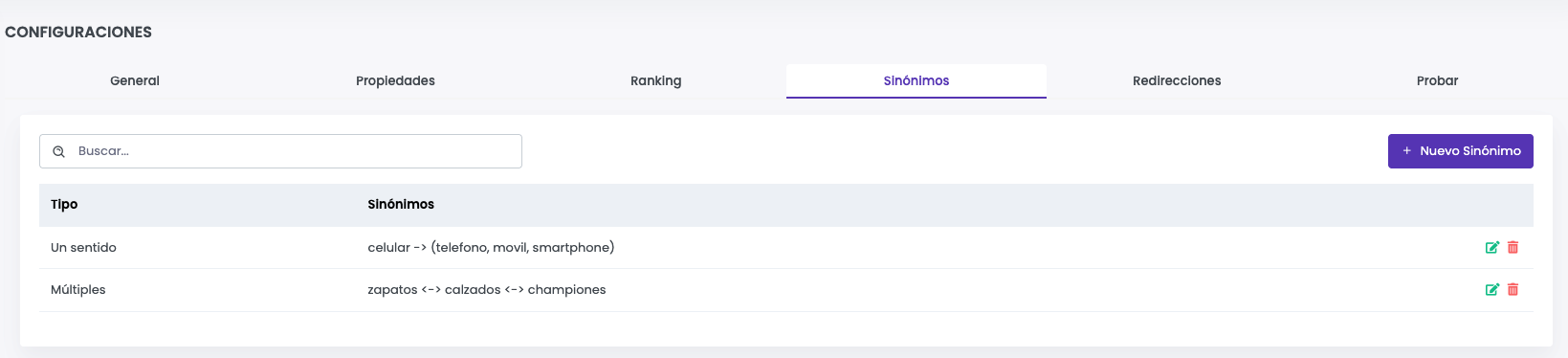
La funcionalidad de sinónimos permite mejorar la experiencia de búsqueda al reconocer términos equivalentes y ampliar los resultados sin depender de coincidencias exactas. Esto ayuda a los usuarios a encontrar lo que buscan incluso si utilizan palabras diferentes para referirse a un mismo producto o categoría.

<figure><img src="/files/K47fpi1bKzz8TiWROHh6" alt=""><figcaption></figcaption></figure>

### Nuevo Sinónimo&#x20;

Existen dos tipos de sinónimos que se pueden configurar:

* **Sinónimos de un sentido:** Se define un término principal y un conjunto de sinónimos que se interpretarán como equivalentes solo en una dirección. Es útil cuando se desea que ciertos términos sean reemplazados por otro más específico.

<figure><img src="/files/2G5q968CPAIfsml5sWM7" alt=""><figcaption></figcaption></figure>

**Sinónimos múltiples:** Se define un grupo de términos que son equivalentes entre sí, sin importar cuál se use en la búsqueda. Es útil para palabras que pueden intercambiarse libremente.

* *Ejemplo:* Si se configuran como sinónimos múltiples *"zapatillas", "tenis", "sneakers"*, entonces una búsqueda con cualquiera de estos términos mostrará resultados de los otros.

  <figure><img src="/files/ty6afSY6U4w2sbiSDPjI" alt=""><figcaption></figcaption></figure>

### Eliminar Sinónimo

Se puede eliminar un sinónimo en <img src="/files/atykoeVrwY30TdK9kAqT" alt="" data-size="line"> . <br>

### Editar Sinónimo&#x20;

Al hacer clic sobre un sinónimo, o seleccionando Editar es posible editarlo.&#x20;


---

# Agent Instructions
This documentation is published with GitBook. GitBook is the documentation platform designed so that both humans and AI agents can read, navigate, and reason over technical content effectively. Learn more at gitbook.com.

## Querying This Documentation
If you need additional information that is not directly available in this page, you can query the documentation dynamically by asking a question.

Perform an HTTP GET request on the current page URL with the `ask` query parameter, and the optional `goal` query parameter:

```
GET https://academy.gopersonal.ai/guia-de-usuario/go-search/configuraciones/sinonimos.md?ask=<question>&goal=<endgoal>
```

`ask` is the immediate question: it should be specific, self-contained, and written in natural language.
`goal` is optional and describes the broader end goal you are ultimately trying to accomplish on behalf of the user. GitBook uses it to tailor the answer towards what is most useful for that goal.

The response will contain a direct answer to the question and relevant excerpts and sources from the documentation.

Use this mechanism when the answer is not explicitly present in the current page, you need clarification or additional context, or you want to retrieve related documentation sections.