> This is part 1 of 4 of the full documentation (pages 1–100 of 356).
> The content is paginated: fetch every part to see all of it.
> Next part: https://academy.gopersonal.ai/llms-full.txt/1
> Page index: https://academy.gopersonal.ai/llms.txt
# Platform Overview
gopersonal Platform is an advanced AI-powered personalization platform designed to elevate online customer experiences.
It empowers business professionals to seamlessly identify, configure, execute, and measure customer experiences. Our platform combines cutting-edge technology with an intuitive user interface, enabling businesses to create highly personalized shopping journeys effortlessly.
**What Does It Do?**
* **Detect Specific Audiences:** Identify and segment your customers into specific groups based on their behavior, purchase preferences, demographic allowing you to tailor offers and content to distinct audiences.
* **Personalize Web and App Content:** Utilize our user-friendly templates to easily personalize web pages and app interfaces. These templates simplify the customization process, enabling seamless alignment with individual user preferences and enhancing their browsing experience.
* **Provide Personalized Recommendations:** Utilize intelligent algorithms to suggest specific products to each user, increasing revenue, cross-selling opportunities and enhancing customer satisfaction.
* **Enable Smart and Personalized Searches:** Implement advanced search features that enable customers to easily find what they are looking for, even when queries are vague or ambiguous.
* **Personalize via Live Shopping:** Enhance live streams with real-time personalized interactions. Go Shops Platform allows you to create exclusive segments and engage in one-on-one conversations with customers, offering personalized assistance and product recommendations during live shopping events.
* **Create User Journeys with Intuitive UI:** Utilize our intuitive user interface to craft seamless user journeys. Design personalized pathways for your customers, enhancing their interactions with your platform and maximizing their engagement.
* **Send Notifications through Multiple Channels:** Leverage our platform to send notifications via email, SMS, push notifications, WhatsApp, and other channels. Reach your customers where they are, delivering timely and relevant messages that enhance their shopping experience.
# How it works
**Step 1: Integrate your platform**
Begin by integrating your platform with gopersonal Platform to access product catalogs, orders and customers data. The platform seamlessly integrates with popular ecommerce platforms like Magento, VTEX, Shopify, and many others, allowing you to import products and orders effortlessly.
**Step 2: Add a Simple Script or use the gopersonal APIs**
To start collecting user interactions with your platform, add a lightweight script to your website. This script enables gopersonal to gather valuable data on user behavior, preferences, and purchases. You can also send the interactions through gopersonal APIs.
**Step 3: Explore Data and Personalize**
Once integrated, explore the rich data collected by gopersonal. Dive into user interactions, preferences, and purchase history. Use this valuable information to personalize user experiences on your website, app or any channel offering tailored product recommendations, personalized content, and a seamless shopping journey.
**Step 4: Monitor and Optimize**
Regularly monitor the personalized experiences delivered. Analyze user engagement, conversion rates, and customer satisfaction metrics. Use these insights to optimize your personalization strategies, ensuring that your customers receive the best possible shopping experience.
# Use Cases
Explore a vast array of over 100 use cases spanning various verticals, each offering unique solutions and insights tailored to specific business needs and objectives.
* [Ecommerce](/en/introduction/use-cases/ecommerce)
# Ecommerce
Delve into a spectrum of E-commerce scenarios centered around customer segmentation, personalized enhancements, multi-channel broadcast delivery, and user journey optimization. Discover tailored scenarios aimed at enhancing user experiences, driving conversions, and maximizing performance for e-commerce businesses.
* Personalizations
* [Web Content](/en/introduction/use-cases/ecommerce/personalizations/web-content)
* [Recommendations](/en/introduction/use-cases/ecommerce/personalizations/recommendations)
* [Notifications](/en/introduction/use-cases/ecommerce/personalizations/notifications)
* [Pop up](/en/introduction/use-cases/ecommerce/personalizations/pop-up)
* [Feedback ](/en/introduction/use-cases/ecommerce/personalizations/feedback)
* [Custom Code](/en/introduction/use-cases/ecommerce/personalizations/custom-code)
* [API (App and other channels)](/en/introduction/use-cases/ecommerce/personalizations/apis-app-and-other-channels)
* [Broadcasts](/en/introduction/use-cases/ecommerce/broadcasts)
# Personalizations
Discover a range of Ecommerce use cases covering diverse personalizations techniques such as web content, recommendations, notifications, pop-ups, feedback, and custom code. Explore scenarios designed to elevate user experiences, boost conversions, and optimize performance for ecommerce businesses.
* [Web Content](/en/introduction/use-cases/ecommerce/personalizations/web-content)
* [Recommendations](/en/introduction/use-cases/ecommerce/personalizations/recommendations)
* [Notifications](/en/introduction/use-cases/ecommerce/personalizations/notifications)
* [Pop up](/en/introduction/use-cases/ecommerce/personalizations/pop-up)
* [Feedback ](/en/introduction/use-cases/ecommerce/personalizations/feedback)
* [Custom Code](/en/introduction/use-cases/ecommerce/personalizations/custom-code)
* [API](/en/admin-ui/personalizations/api-personalization)
# Web Content
Here, you can explore various user cases showcasing how adapting website content can significantly enhance user engagement and boost conversion rates.
Discover how to create personalized web content [here](/en/admin-ui/personalizations/web-content-personalization).
* Display promotional images tailored to each customer's affinity and preferences.
* Display 'New In' videos tailored to each customer's affinity and preferences.
* Floating cart available on all pages, providing direct checkout access for seamless and convenient shopping experiences.
* Personalized banner based on customer's preferred category or color.
* Countdown banner signaling end of promotion or urgency code, generating a sense of urgency.
* Section featuring One-to-Many Live Shopping Event on the page.
* Display products according to available loyalty points of the customer.
* Banner displaying category based on customer affinity.
* Display image or video promotion based on current weather conditions.
* Integrate a new custom search engine into your site with Go Search.
* Incorporate an AI-powered personal shopper to assist customers and create delightful experiences, enhancing engagement.
* Add the option for customers to schedule one-to-one calls or participate in one-to-many live shopping events.
* Display personalized banners for each country or city.
* Incorporate gaming with a roulette wheel prompting customers to provide their email or phone number to receive discounts and gather customer data.
* Gamify with casino-style slots to offer discounts or giveaway products, fostering engagement and moving inventory.
* WhatsApp button with Contact Us triggering the Whatsapp App.
# Recommendations
Explore a variety of scenarios where personalized recommendations significantly enhance user engagement, boost conversion rates, and improve upselling and AOV.
Discover how to create a Recommendations Personalization [here](/en/admin-ui/personalizations/recommendations-personalization).
* Carousel featuring product recommendations with the highest likelihood of conversion on the Home page
* A/B test different recommendation strategies on the Home page to identify the approach that performs best for your ecommerce.
* Add an 'Explore Products' section as an additional category, featuring a grid of recommended products tailored to each customer.
* Display recently viewed products on the Home page to re-engage returning users.
* Display complementary products in the cart page to drive upselling.
* Utilize multiple strategies within a single widget to yield enhanced recommendations.
* Recommend other products from the same category on the Product Detail Page (PDP).
* Displaying similar products on the Product Detail Page (PDP) in order to explore alternatives and find items closely related to their current selection.
* Displaying Frequently Bought Together (FBT) items on the cart page to increase Average Order Value (AOV).
* Explore options with Frequently Viewed Together, showing products that are commonly viewed together with those recently viewed by the customer.
* Popular and trending products showcased on the Home page.
* Display products similar to those recently viewed by the customer.
* Display products similar to those added to favorites by the customer.
* Implement the 'Complete the Look' strategy on the Product Detail Page (PDP).
# Notifications
Explore a diverse range of notification use cases tailored to enhance user engagement, retention, and conversion rates across various scenarios.
Discover how to create personalized Notifications [here](/en/admin-ui/personalizations/notifications-personalization).
* Display a notification with a discount coupon when a customer has a certain amount in their cart.
* Show a free shipping notification for new customers or first-time purchases.
* Display a notification with a countdown timer for the expected delivery time. For example, 'Order within the next X hours for same-day delivery.'
* Utilize social proof to create scarcity, for example, showcasing 'last units available' of a product.
* Display a notification with a discount coupon when a customer purchases a specific category to promote product catalog movement.
* Display a notification to customers who returned after abandoning their cart, indicating that their cart is still available.
* Present a notification on the mobile web indicating that the app is available for download.
* Notification for signing up for the newsletter with a discount upon completion.
* Create urgency by displaying a notification offering a discount on the next item if purchased within the next 2 hours.
* Incorporate social proof by displaying the number of sales or views of a product to encourage purchases.
* Notify the customer about the remaining amount needed to reach the next loyalty level.
* Display 'Only X Left for Free Shipping' when a customer adds a product to their cart.
* Notification with a countbar and discount coupon to generate urgency.
* Country-specific notifications, such as shipping using different currencies and times.
* Welcome notifications tailored to the referral page from which the user arrives.
* Surprise coupon after a certain time or after adding items to the cart to motivate price shoppers.
* Social proof with customer feedback on the product detail page.
* Redirect customers to new categories/products by displaying notifications on the homepage.
* Display a notification to visit best-selling or popular products.
# Pop up
Explore a variety of scenarios showcasing the effectiveness of personalized pop-ups in enhancing user engagement, conversions, and overall user experience.
Discover how to create personalized Pop ups [here](/en/admin-ui/personalizations/pop-up-personalization).
* Pop-up for product filtering by affinity. For example, color. 'Do you like red? Check out these products.
* Pop-up showcasing complementary products when the customer adds an item to the cart.
* Pop-up with a discount coupon for customers purchasing products from a specific category to promote product catalog movement.
* Show Cold start Pop up with options to detect customer preferences and personalize the website.
* Gift finder in a pop-up with questions about preferences, prices, etc.
* Display Pop-up with a countbar indicating the end of a promotion to create urgency."
* Pop-up with categories ordered by affinity, enhancing the browsing experience.
* Display a pop-up to customers who return after abandoning their cart, indicating that their cart is still waiting for them.
* Detect exit intent and display a pop-up with recommended products or promotions to encourage purchase.
* Display a pop-up on mobile web to encourage customers to download the app.
* Newsletter sign-up in a pop-up to enhance subscription rates.
* Create urgency by displaying a pop-up with the next discount percentage if purchased within the next 30 minutes to motivate checkout.
* When adding a product to the cart, display a pop-up indicating the amount needed to reach the next loyalty level.
* Display a pop-up indicating that 'X' amount is needed for free shipping when a customer adds a product to the cart.
* Remind returning visitors with a pop-up displaying the last product viewed, or similar products to the last viewed items.
* Display a surprise coupon in a pop-up after a certain period of time or when the item is added to the cart.
* Display a coupon with a scratch feature to generate gaming and engagement.
# Feedback
Explore a variety of feedback personalization use cases, specifically designed to gather valuable insights from your customers.
Discover how to create Feedback collector Personalization [here](/en/admin-ui/personalizations/feedback-personalization).
* Solicit feedback with star ratings upon completing a purchase.
* Add a feedback collector on the homepage for customers to provide feedback whenever they want.
* Display surveys upon completing a purchase to gather valuable feedback from customers.
* Capture information about how customers first discovered your brand during their initial purchase.
* Request feedback using NPS upon completing a purchase.
* Solicit feedback using NPS or stars after a certain number of visits.
* Solicit feedback from a specific group of customers who participated in a live shopping event or one-to-one call.
# Custom Code
Explore custom code personalization use cases, which enable the integration of code directly into the webpage, allowing for more intricate and tailored scenarios.
Discover how to create Custom Code Personalization [here](/en/admin-ui/personalizations/custom-code-personalization).
* Change the browser tab title when a customer navigates away from the checkout page to attract them back.
* Change the order of elements within a page through A/B testing to identify the sequence that yields better conversions, thereby improving engagement.
* Customize the order of filters based on personalized preferences.
* Customize the order of the menu items based on user affinity.
* Sendi custom interactions to Go Personal platform.
# APIs (App & other channels)
Personalization through APIs offers the flexibility to extend tailored experiences to various sales channels such as apps, conversational platforms, and other touchpoints. By leveraging APIs, you can seamlessly integrate personalized content and interactions, ensuring consistent and engaging experiences across diverse customer touchpoints.
Discover how to create a Personalization through API [here](/en/admin-ui/personalizations/api-personalization).
* Integrate recommendations across various channels such as mobile apps and conversational platforms to extend the customer experience.
* Add personalized banners within the app based on user affinity.
* Promote discounted products in the App for customers with a probability of churn.
* Display exclusive categories only to customers who participated in live shopping events.
* Display social proof on the product detail page (PDP) in the app by showcasing products with low stock or high views to create a sense of urgency.
* Display recommended products in the app when a customer visits a physical store.
* Display products available in the app based on loyalty level.
* Display a pop-up with a discount coupon tailored to the audience on the app channel.
* Display notifications or pop-ups on the app during specific periods and time slots.
* New special categories for segments on the app's home screen.
* Sort app categories by customer affinity.
* Display in-app pop-ups with complementary products when a customer adds items to their cart to encourage upselling.
* In-app message with App new updates.
* In-app message for first-time app usage.
* Add NPS or star feedback when the customer finishes the purchase.
* Display a discount coupon on the App for the first purchase.
* Display location-based promotions in the app tailored to customer segments.
# Broadcasts
Discover a range of E-commerce use cases focusing on broadcast strategies, including message delivery across various channels such as email, push notifications, SMS, and more.
* Launching seasonal personalized message campaigns via email or push notifications.
* Notifying special holiday operating hours via email or push notifications.
* Send varied promotions tailored for different customer segments via channels like email or push notifications.
* Deliver recommendation messages to customers showing signs of churn.
* Send messages to customers who viewed products but did not make a purchase to re-engage them.
* Send messages to customers who abandoned their cart to encourage them to complete their purchase.
* Send a monthly email featuring popular or best-selling products.
* Send an NPS survey message to gather feedback from customers about the brand.
* Deliver a message with available products tailored to the loyalty level.
* Notify customers via email about promotions or discounted products.
* Send push notifications to notify exclusive discounts on in-app purchases.
* Send discount codes via SMS.
* Send a reminder for a live shopping event.
* Deliver push notifications to notify users of new app updates available.
* Reactivate churned customers through email, push notifications, or SMS.
* Send messages to promote categories across multiple channels.
* Send invitations to clients for a live shopping event.
* Deliver an email featuring products similar to the ones previously viewed by the customer.
* Send back in stock notifications for products that customers have saved in their favorites or viewed recently.
* Send messages highlighting discounted products to customers who have interacted with those items.
# Roadmap
Our product roadmap is a dynamic guide outlining the planned evolution of the platform. It reflects our commitment to continuous improvement and innovation to meet your evolving needs.
If there's a feature you desire that isn't currently on the roadmap, please feel free to request it by emailing us at . We value your input and strive to tailor our platform to best suit your requirements.
{% embed url="" fullWidth="true" %}
# Release Notes
Welcome to our Release Notes, your go-to resource for staying informed about the latest enhancements and updates to gopersonal Platform. In each release, we strive to bring you new features and improvements, reflecting our commitment to continuous innovation.
* [Q2 2024](/en/introduction/release-notes/q2-2024)
* [Q1 2024](/en/introduction/release-notes/q1-2024)
* [Q4 2023](/en/introduction/release-notes/q4-2023)
Thank you for choosing our Personalization Platform 🥰
# Q2 2024
* [Anonymous customers support:](https://trello.com/c/otAuyUXY/97-anonymous-customers-support) This feature enhances user experience and accessibility by allowing non-logged-in or registered customers to seamlessly access platform functionalities. By supporting anonymous browsing, the platform captures valuable data and enables personalized experiences, aiming to boost customer engagement and conversion rates.
* [Web Push Notifications Channel:](https://trello.com/c/I4f881xB/29-web-push-notifications-channel) We're thrilled to unveil web push notification integration as a new channel for Journeys and Broadcasts on our platform! This game-changing functionality enhances interaction with anonymous users by enabling automated journeys like abandoned cart reminders and browse abandonment notifications. These personalized notifications are crucial for re-engagement and conversion, maximizing business opportunities even for unidentified users.
* [Voice Search:](https://trello.com/c/hWHLwxam/96-voice-search) This feature enhances the customer experience by allowing customers to perform searches using voice commands. Leveraging advanced speech recognition technology, voice search converts spoken queries into text, providing a convenient and hands-free search option. With voice search support, users can quickly and effortlessly find products, significantly improving accessibility, discovery and user engagement.
* [Test Search page](https://trello.com/c/g63FLyJq/93-go-search-test-search): This feature provides users with a testing environment to evaluate and refine search functionalities within the platform. Users can simulate search queries, use voice or image search and analyze the results to ensure optimal performance and relevance.
* [Video Shopping:](https://trello.com/c/wjGYsV8s/48-video-shopping) We're excited to introduce our new Video Shopping functionality! 📹🛍️ This feature allows ecommerce managers to set up a video and associate products to be promoted within the content, specifying the exact times at which each product will be displayed. This enhances the shopping experience by integrating promotional products directly into the video, creating awesome shoppable videos. This seamless interaction enables viewers to engage with and purchase products effortlessly.
* [Products recommended purchased export:](https://trello.com/c/4l4OyJbR/104-products-recommended-purchased-export) We're introducing a new feature to export lists of purchased recommended products! This functionality allows users to export details such as purchase date, customer information, and product data (name, SKU, ID, and amount). By providing this capability, users can analyze and track the effectiveness of recommended products in driving purchases, enabling data-driven decisions to optimize recommendations and enhance sales performance.
* [Feedback Analytics: ](https://trello.com/c/eEHfrrW2/40-feedback-analytics-with-nps-and-sentiment-analysis)This innovative feature integrates Net Promoter Score (NPS) and sentiment analysis to evaluate customer satisfaction and sentiment. Managers can now gather comprehensive feedback, offering valuable insights into customer loyalty and overall sentiment towards the site, brand, or service.
* [New recommendations strategies:](https://trello.com/c/BsuKc2ec/95-new-generic-recommendations-algorithms) We are pleased to announce the development and implementation of new generic recommendation strategies designed to enhance our platform's recommendation engine. These strategies include Top Sellers, Most Viewed Products, populars in category and Popular Products in the Last Visited Category. These new strategies provide users with dynamic and relevant product suggestions, improving the overall user experience and boosting engagement and conversions.
* [Search Analytics improvements: ](https://trello.com/c/BTyJ9tdU/102-improve-search-analytics)We're enhancing our Search Analytics module with advanced features! This upgrade integrates direct and assisted revenue tracking, along with timeline analytics, to provide comprehensive insights into user search behavior and its impact on revenue generation. By enabling users to analyze both immediate and long-term effects of search activities on business outcomes, this enhancement enhances decision-making and optimization strategies, empowering users to make data-driven decisions.
* [New Personalizations Templates:](https://trello.com/c/RoVHwbem/45-new-personalizations-templates) Continuing our commitment to expanding your customization options, we're excited to introduce new personalization templates designed to boost user engagement and interaction capabilities:
* **NPS Feedback Collector**: Gather valuable Net Promoter Score (NPS) feedback to measure customer satisfaction effectively.
* **Affinity Ordered Banner Carousel**: Showcase personalized content through an ordered banner carousel based on user affinities and behavior.
* **Web Push Native Subscriber**: Facilitate seamless web push subscription prompts directly through users' browsers.
* **Custom Web Push Subscriber**: Design personalized web push subscription prompts aligned with your branding and messaging strategies.
These templates are part of our ongoing efforts to broaden our template library, empowering you to create more personalized and impactful user experiences.
Thank you for choosing our Personalization Platform 🥰
# Q1 2024
* [Audience Explorer with real time data while adding conditions](https://trello.com/c/cVW5VqQo/15-audience-explorer-with-real-time-data-while-adding-conditions)[:](https://trello.com/c/uW12509z/4-text-generated-suggestions-using-ai-for-different-channels) Audience Explorer offers dynamic updates as conditions are added, including metrics like customer count, revenue, and conversion rates. Instant insights into audience size and characteristics empower precision targeting. Easily refine audience criteria with real-time feedback for optimized targeting. Make data-driven decisions on-the-fly for more effective targeting strategies. Explore audiences like never before with the Audience Explorer feature.
* [Contact Lists:](https://trello.com/c/OnI80A4N/64-contact-lists) Enable the import of contacts with their emails or IDs to create static audiences. These lists are now available for selection in the broadcasts module and for the creation of more advanced audiences and personalized targeting. Seamlessly manage your contacts and enhance your targeting capabilities with this feature.
* [Custom Recommendations strategies](https://trello.com/c/sYYMIEh1/19-custom-recommendations-strategies): Empower yourself with the ability to create new recommendation strategies by combining various existing ones. For example, allocate 5 slots for best-selling products, the next 5 slots for related items, and the remainder for high-converting products. This customization offers a more tailored and strategic approach to recommendations, ensuring alignment with individual business strategies and objectives. The implementation of custom recommendation strategies enhances flexibility and control, allowing users to optimize product recommendations for maximum impact.
* [Elegibility and goals in journeys:](https://trello.com/c/nFiIl3uG/86-elegibility-and-goals-in-journeys) The Eligibility feature allows users to determine if a journey can be executed multiple times per customer or only once. Configured as "one per customer," entering a new journey automatically discards the previous one, offering flexibility in journey management. Goals represent desired outcomes like increasing conversion rates or improving customer satisfaction. These features bring enhanced control and direction to journey management on Go Personal Platform!
* [Go Loyalty Addon](https://trello.com/c/2jm0ifqu/36-go-loyalty-addon): Our new Loyalty Addon empowers businesses to create and manage loyalty programs seamlessly. Designed to boost customer retention and elevate user experience, this addon ensures the development of effective, relevant, engaging, and state-of-the-art loyalty programs. \
\
The Go Loyalty Addon demonstrates our commitment to providing cutting-edge solutions that drive long-term customer growth and retention. With its super extensible design, this addon can adapt to the unique needs of any business, ensuring flexibility and scalability. \
\
Check more about this amazing addon [here](https://blog.goshops.com/go-loyalty/).
* [Live Shopping Analytics improvements:](https://trello.com/c/EhhpAUPJ/78-improve-live-shopping-analytics) This update involves refining the user interface and experience to provide a more intuitive and insightful analytics platform for live shopping sessions. We've optimized data visualization, simplified navigation, and enhanced accessibility to key metrics and insights.
With these improvements, users can easily interpret data on viewer engagement, product performance, conversion rates, and other relevant metrics in real-time.
* [Filters in lists:](https://trello.com/c/Dhb5uXIM/87-improve-discovery-in-lists-with-filters) We improved the discovery in list views with filters involves enhancing the admin user experience.
* [Vtex app](https://trello.com/c/By4V5j8r/91-vtex-app) and [Woocommerce plugin](https://trello.com/c/HFEk2ZmO/92-woocommerce-plugin): We created a brand new Vtex app and a Woocommerce plugin to streamlines integration with these ecommerce platform. This release marks a significant milestone in our commitment to providing comprehensive solutions for ecommerce personalization unlocking a world of possibilities for personalized customer experiences.
* [Go Personal Shopper Q\&A Addon](https://trello.com/c/uYz3lOn9/82-personal-shopper-qa-addon): And finally, we're thrilled to announce our latest addon: AI-powered assistants for revolutionizing the purchasing process! 🛍️✨ These assistants leverage cutting-edge artificial intelligence to provide personalized recommendations, answer product-related questions, offer styling advice, and streamline the overall shopping experience for customers.
\
Check out the video below to see our AI-powered assistant in action!
{% embed url="" %}
Thank you for choosing our Personalization Platform 🥰
# Q4 2023
* [Text generated suggestions using AI for different channels:](https://trello.com/c/uW12509z/4-text-generated-suggestions-using-ai-for-different-channels) In this release, we're thrilled to introduce AI-generated text suggestions. Now, by selecting the language and providing a brief use case explanation, users can access several contextually improved text suggestions tailored for the channel.
* [App Push Notifications channel:](https://trello.com/c/BLQyhX4L/6-app-push-notifications-channel) We're excited to announce the incorporation of App Push Notification integration. Users now have the capability to seamlessly utilize this feature within user journeys or for broadcast-type communications. With this feature, users can effortlessly integrate push notifications into both personalized user journeys and broader broadcast campaigns, maximizing engagement.
* [Broadcast Feature:](https://trello.com/c/LAMIU16z/7-broadcast-feature) We're thrilled to introduce the Broadcast Feature in this release, a powerful addition that empowers users to send personalized and targeted messages seamlessly across channels like email, SMS, and app push. \
\
This functionality enables users to craft custom messages and deliver them either to all clients or select a pre-defined audience. The versatility of the Broadcast Feature supports effective communication strategies, allowing for tailored outreach to specific groups or a broader audience. Whether it's a mass communication effort or a targeted campaign, users can leverage this functionality to enhance engagement through diverse channels. \
\
For more information on utilizing the Broadcast Feature, please refer to [here](https://academy.gopersonal.ai/admin-ui/go-personal/broadcasts/new-broadcast).
* [Dashboard real time metrics:](https://trello.com/c/fkkmRL41/12-dashboard-real-time-metrics-like-active-experiences-ab-tests-running-and-journeys-executing) This enhancement provides executives with an instant overview of the platform's current status, including the number of active experiences, ongoing A/B tests, executing journeys, sessions, and personalized sessions.
This addition delivers a dynamic and up-to-the-minute snapshot of the platform's performance, empowering executives to make informed decisions in real-time.
* [Recommendations Analytics in Dashboard:](https://trello.com/c/YRurrkzN/13-recommendations-analytics-in-dashboard) We're introducing Recommendations Analytics directly on the dashboard, offering insights into direct and assisted revenue, the quantity of recommendations provided, click-through rates (CTR), and conversion rates (CR). This feature empowers executives with real-time insights, allowing them to assess the effectiveness of recommendations at a glance. By displaying key metrics such as revenue impact and user engagement, the dashboard enables executives to make informed decisions on the success of recommendation strategies.
* [Personalizations Analytics:](https://trello.com/c/mX65Etl8/62-personalizations-analytics) We're introducing Personalizations Analytics, offering detailed insights into the performance of personalizations. This dashboard provides a comprehensive overview of the tool's functionality, empowering users with valuable insights to gauge the effectiveness of personalization strategies. This dashboard offers a comprehensive overview of key metrics, from personalized sessions, goal conversions, and revenue overview to how these metrics behave in time. Additionally, users can filter by the type of personalization, goals, the page where it is implemented, and more.
* [Recommendations Analytics:](https://trello.com/c/SFdAWLOw/65-recommendations-analytics) We've implemented Recommendations Analytics, featuring key metrics such as total impressions, sessions that received recommendations, click-through rate (CTR), conversion rate (CR), and associated revenue. Additionally, we provide insights into the temporal flow of these values over time.
This comprehensive analytics feature enables users to track the performance and impact of recommendations, offering valuable information on user engagement and conversion dynamics. The detailed historical data helps users understand trends and patterns, facilitating informed decision-making and strategic optimization of recommendation strategies within the platform.
* [Usage Analytics:](https://trello.com/c/dU633iAw/63-usage-analytics) A crucial addition for real-time insights into the platform's utilization. This feature provides valuable information on total sessions and their distribution over time. Users can also monitor the percentage of the total contracted capacity consumed each month, enhancing transparency.
* [Versioning A/B testing variants](https://trello.com/c/OYkrLJfp/3-versioning-a-b-testing-variations): In this release, we're introducing the versioning of the variants providing efficient change tracking and a clear evolution history for streamlined customization management. You can see the date and user that changed the variant and you can also rollback to a previous version.
* [Show A/B testing results:](https://trello.com/c/XZOdp0y6/74-show-a-b-testing-results) You can now access real-time A/B Testing Results for each experience, providing a dynamic snapshot of impressions, conversions, conversion rates, and the ongoing probability of a variant being the winner. If a champion has already emerged, the platform distinctly highlights the victorious variant.
This real-time reporting ensures a transparent and comprehensive understanding of variant performance, empowering users with the latest insights for quick decision-making and optimization. Monitor and grasp the effectiveness of each variant within an A/B test effortlessly.
* [Complete the look recommendation strategy:](https://trello.com/c/WpI0kEmm/75-complete-the-look-recommendation-strategy) Thrilling announcement in this release! We've introduced a remarkable recommendation strategy known as "Complete the Look." This strategy is now seamlessly integrated into our available lineup, aiming to redefine the user experience.
The "Complete the Look" strategy enhances user engagement by suggesting products that complement or complete a customer's selected item. It goes further by recommending additional items that seamlessly harmonize with the user's preferences or current selection.
This addition introduces a new layer of personalization, encouraging users to explore and discover relevant products effortlessly.
* [Improve conditions UI/UX in Audience and targeting:](https://trello.com/c/vLPnM7ys/11-improve-conditions-ui-ux-in-audience-targeting) We've enhanced the UI/UX for conditions in Audience and targeting, aiming to streamline the creation process and make it more user-friendly and intuitive.
This improvement simplifies the condition-setting experience, allowing users to effortlessly define criteria and parameters. The updated interface ensures smoother navigation, reducing complexity, and enhancing overall usability.
* [Set up feed integration with frequency:](https://trello.com/c/AOL2Y8Yf/5-set-up-feed-integration-with-frequencies) We're introducing an enhanced capability for users to effortlessly configure the synchronization of product catalogs, customer data, and interactions via CSV. This setup allows users to specify the frequency of synchronization, providing flexibility to adapt to their unique needs. With a user-friendly interface, adjusting synchronization settings becomes seamless, ensuring that product catalogs, customer data, and interactions remain up-to-date.
* [Custom interactions in Audience, targeting and Journeys: ](https://trello.com/c/xfaVVuet/8-custom-interactions-in-audience-targeting-and-journeys)This addition significantly enhances the product's adaptability across various industries. Custom interactions can be seamlessly integrated into the platform, allowing users to create audiences based on specific interaction types. This feature expands the product's utility, making it adaptable to a range of industry-specific scenarios. Users can now craft targeted experiences based on unique interaction types, enhancing their ability to deliver personalized and impactful content.
* [Copy personalization between projects:](https://trello.com/c/VwQsB0Xd/60-copy-personalization-between-projects) This feature is designed to facilitate environment management and streamline the sharing of personalizations and audiences across projects.
It simplifies the process of sharing and replicating personalizations, contributing to a more streamlined and effective workflow. \
* [Live shopping conditions in Audiences:](https://trello.com/c/n9y0IeHx/61-live-shopping-conditions-in-audiences) We are excited to announce an enhancement to our platform with the introduction of conditions tailored for Live Shopping events within audiences. As part of a comprehensive solution, these conditions consider various aspects of Live Shopping events in which the client has participated. Conditions now include filtering based on invitations, event hosts, dates, final status, and more.
This addition aims to provide a more robust and tailored experience for customers, enabling efficient management and analysis of their engagement with Live Shopping events within the platform.
* [Send Weekly stats email to admins:](https://trello.com/c/L3LWaGoF/21-send-weekly-stats-email-to-admins) Automatic delivery of a comprehensive weekly statistics email to administrators. This email provides in-depth insights into the performance of customizations, recommendations, and other key functionalities.
* [Goals in Personalizations and Broadcasts:](https://trello.com/c/Ga4G3PGV/66-goals-in-personalizations-and-broadcasts) We've introduced goal-setting functionality in both Personalizations and Broadcasts. Now, users can assign objectives with a specified conversion timeframe, considering an interaction a conversion if the customer completes it within the defined time frame.
# Introduction
Go Personal Platform can be accessed at our official website: . Please log in using the credentials provided upon creating your account.
***
Thank you for choosing Go Personal Platform. Prepare to transform your business and deliver exceptional, personalized experiences to your customers!
# Projects
Projects allow you to group products, orders, customers, and customer interactions with products. Additionally, projects offer the capability to create, audiences, personalizations, user journeys, and much more, all within specific environments.
So, when should you create a new project?
1. **For Environment Management:** Create a separate project for staging and another for production. This enables you to develop and test customizations safely in a staging environment before deploying them to the live production environment. The separation of environments ensures that the shopping experiences are optimal before they are officially launched.
2. **When You Have Multiple Product Sets:** If you have various sets of products available for customer interaction, consider creating an individual project for each set. This allows you to personalize the shopping experiences for each product group specifically, ensuring that recommendations and promotions are relevant and coherent to each product set.
You can switch between projects in the top bar, and creating a new project is just a click away. By clicking the "New Project" button and entering a name, you can create a new project.
# Top bar
By clicking on your name, you can access the menu to view your profile, company information, platform updates, access API references, and log out.
# Menu
* **Dashboard:** Get an overview of the platform's performance in terms of revenue.
* **Analytics:**
* **Personalizations:** Get detailed information about your personalizations performance.
* **Recommendations:** Retrieve insights on how well your recommendations are performing.
* **Usage: R**eal-time insights into the platform's utilization.
* **Templates Store:** Explore a store of templates for your projects.
* **Segmentation:**
* **RFM:** Refine your audiences using RFM segmentation.
* **Contact Lists:** Create static audiences importing the customers.
* **Audiences:** Manage dynamic audiences.
* **Personalizations:** Create personalized experiences for your customers.
* **Journeys:** Design interactive user journeys.
* **Broadcasts:** Send personalized messages through several channels.
* **Customers:** Access the list of clients.
* **Go Live Shopping Addon:**
* **Metrics and Call Listings:** Analyze the performance of your calls and view important metrics.
* **Hosts:** Manage your hosts and their configurations.
* **Host Groups:** Organize hosts into groups for efficient management.
* **Availabilities:** Configure the availability of your host groups.
* **Campaigns:** Create and manage campaigns for your projects.
* **Events:** Plan and manage events and calls.
* **Go Search Addon:**
* **Metrics:** Analyze specific search-related metric data.
* **Clusters:** Clusters of similar searches.
* **Searches:** List of all the searches and results.
* **General Section:**
* **Integrations:** Connect your project with other applications for added versatility.
* **Items:** Explore the products available in the project.
* **Catalogs:**
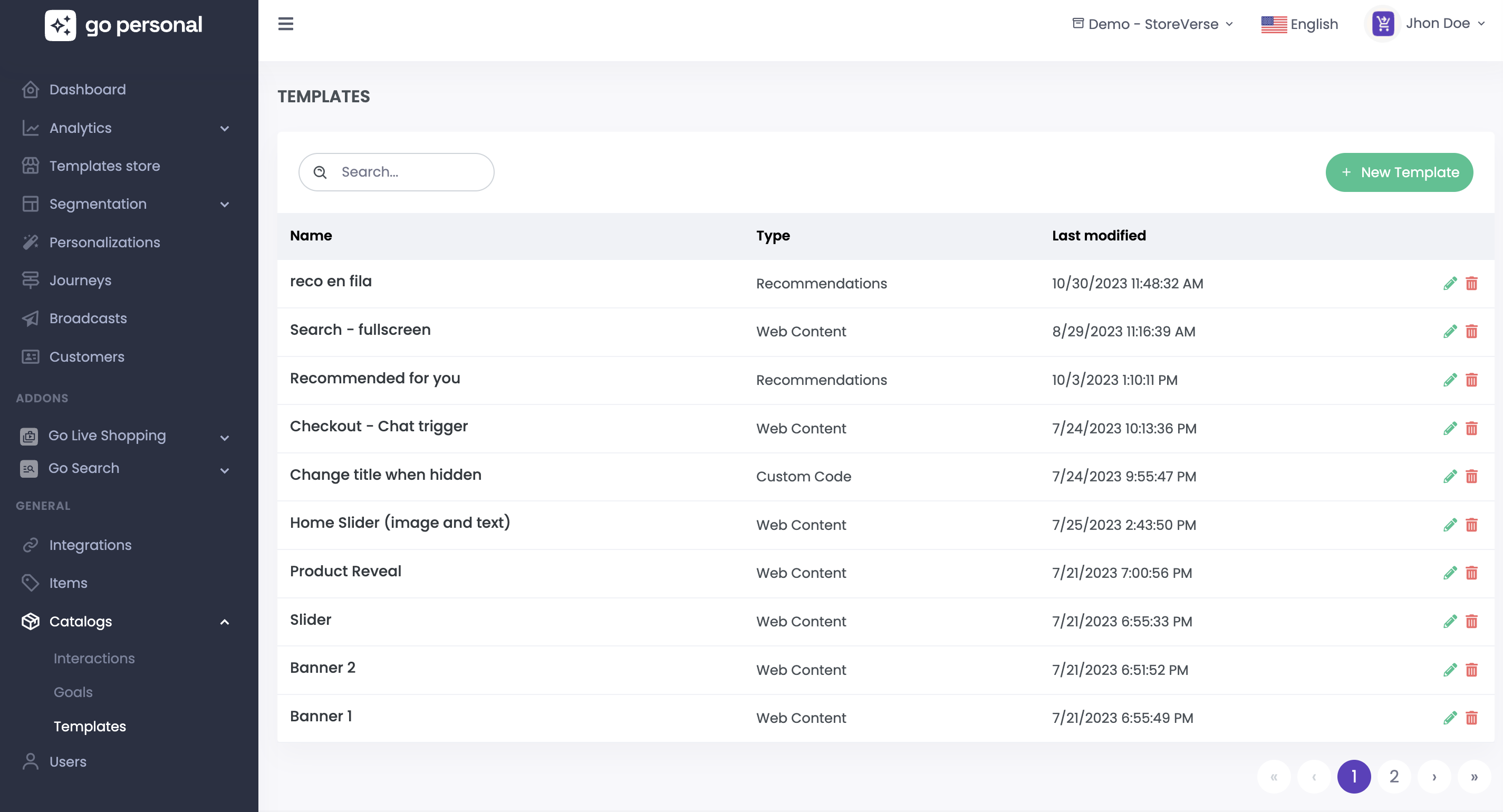
* **Templates Catalog:** Access your saved templates.
* **Interactions:** Interactions management for the project.
* **Goals:** Custom goals management.
* **Users:** Manage administrators who have access to the platform.
# Dashboard
The dashboard provides a comprehensive overview of how the platform is performing in terms of sales, revenue, and more, enabling you to make well-informed business decisions with ease.
* **Total Sessions:** Displays the total number of sessions on the platform.
* **Personalized Sessions:** Indicates how many sessions received personalziations.
* **Active Experiences:** Number active experiences at the moment.
* **Running Tests:** Number of running A/B tests at the moment.
* **Journeys:** Numbers of user journeys executing at the moment.
**Personalizations:**
* **Revenue:** Shows the income generated in personalized sessions during the selected period.
* **Comparison with Previous Period:** Indicates the percentage of improvement or decline compared to the previous period.
* **Daily Fluctuation:** Provides a simple visualization of daily revenue fluctuations during the period.
* **Purchase Rate:** The percentage of personalized sessions that resulted in a purchase.
* **AOV in Personalized Sessions:** Indicates the average value of all purchases made in personalized sessions.
**Recommendations:**
* **Direct Revenue:** Revenue generated from the purchase of recommended products, considering a week as attribution window.
* **Assisted Revenue:** Revenue generated from the purchase of products after the customer interacts with recommended products, considering a week as attribution window.
* **Sessions:** Number of sessions where the customer saw at least 1 recommendation impression.
* **Click Through Rate:** Rate of sessions where the customer viewed the details of a recommended product.
* **Conversion Rate:** Rate of sessions where the customer purchased a recommended product, considering a week as attribution window.
# Analytics
Welcome to the Analytics Module, where administrators gain detailed insights into the performance of personalizations, recommendations, and overall platform usage. Here, you'll find a comprehensive overview of how each aspect is contributing to user engagement, conversion rates, and the overall effectiveness of your platform. Dive into actionable data to optimize strategies, enhance user experiences, and make informed decisions to drive success.
* [Personalizations](/en/admin-ui/analytics/personalizations)
* [Recommendations](/en/admin-ui/analytics/recommendations)
* [Usage](/en/admin-ui/analytics/usage)
# Personalizations
This dashboard provides detailed insights into the performance of personalizations. It includes key metrics such as the quantity of personalized sessions, goal conversions, timelines, and more, offering a comprehensive overview of tool's functionality.
### Overview
* **Personalized Sessions:** Number of sessions where the customer received at least one experience in the selected date range and filter.
* **Conversions:** Personalized sessions that converted at least one goal in the selected date range and filter.
* **Conversion Rate:** Rate of personalized sessions that converted at least one goal in the selected date range and filter.
* **Goals Revenue:** Revenue associated with goals converted in personalized sessions for the selected date range and filter.
* **Purchase Rate:** Rate of personalized sessions in which at least one purchase was made.
* **Total Revenue:** Total revenue generated in personalized sessions.
### Trends
For each of the above metrics, you can also visualize how these values have evolved over time. You have the flexibility to view this data on a daily, weekly, or monthly basis. Tailor your analysis to different timeframes, allowing you to gain a granular or high-level perspective on the evolution of metrics.
### Date Filter
You can narrow down your analysis to specific time ranges, allowing for a more focused examination of the performance of personalizations.
### Filter
Additionally, you have the capability to filter metrics based on your specific analysis needs. Customize your view to focus on the aspects you want to analyze, providing a targeted and tailored approach to understanding the performance of personalizations.
* **Goals:** The goal assigned for the personalizations.
* **Page Type:** Where are located the personalizations.
* **Type:** The personalization type (Web content, API, Recommendations, etc )
* **Personalization:** A specific personalization.
# Recommendations
Step into Recommendations Analytics, your gateway to a wealth of insights into the effectiveness of your recommendation strategies. This module empowers you to dissect the performance of your personalized recommendations, providing a detailed examination of user engagement, conversion rates, and the impact on your overall business objectives. Uncover the nuances of how different recommendation approaches contribute to your success and leverage data-driven decision-making to fine-tune and optimize your recommendation strategies.
### Overview
* **Total impressions:** Total number of recommendations impressions for the selected date range.
* **Sessions:** Number of sessions where the customer saw at least 1 recommendation-type impression for the selected date range.
* **Click Through Rate:** Rate of sessions where the customer viewed the details of a recommended product, taking into account the attribution window and the selected date range.
* **Conversion Rate:** Rate of sessions where the customer purchased a recommended product, considering the attribution window and the selected date range.
* **Direct Revenue:** Revenue generated from the purchase of recommended products, considering the attribution window and the selected date range.
* **Assisted Revenue:** Revenue generated from the purchase of products after the customer interacts with recommended products, considering the attribution window and the selected date range.
### Trends
For each of the above metrics, you can also visualize how these values have evolved over time. You have the flexibility to view this data on a daily, weekly, or monthly basis. Tailor your analysis to different timeframes, allowing you to gain a granular or high-level perspective on the evolution of metrics.
### Date Filter
You can narrow down your analysis to specific time ranges, allowing for a more focused examination of the performance of recommendations.
### Attribution Window
The attribution window is the time allowed for an end user to complete the purchase of a clicked product. It can be same session, 7, 14 or 30 days.
# Usage
Usage Analytics are crucial for real-time insights into the platform's utilization, providing information on total sessions and their distribution over time. This feature also allows to monitor the percentage of the total contracted capacity consumed each month, enhancing transparency. By regularly assessing these metrics, you gain a comprehensive understanding of the platform's usage and resource management.
### Sessions
Total Sessions where the customer interacted with the system at least one time for the selected period. You can effortlessly track the number of sessions within a specific period and compare it to the total contracted sessions. Additionally, the platform provides a percentage representation, offering a clear view of the utilized sessions in relation to the total contracted.
# Segmentation
# Contact Lists
Contact lists serve as a powerful tool, allowing you to curate static audiences effortlessly. By compiling a list of clients, you can create targeted and specific groups tailored to your marketing and communication needs. These contact lists can then be used in Broadcasts and advanced rules for audiences.
You have the flexibility to delete or edit a contact list at any time. This control ensures that you can manage your contact lists dynamically.
### New Contact List
You have the flexibility to delete or edit a contact list at any time. This control ensures that you can manage your contact lists dynamically.
To create a contact list, it is necessary to provide a name and upload a file containing the list of clients to import.
You can download the template and fill with the identifiers of your customers. The template format is:
customerId
email
### Edit Contact List
You can change the name of the contact list as well as update the contact list importing a new file.
# Audiences
In the Go Personal platform, you have the power to create audiences based on customer behavior, demographic data, affinities, product interactions, and much more. Upon entering the platform, you'll find the audiences created for the selected project. Each audience is accompanied by valuable metrics, providing insights into its composition and impact:
* **Audience Metrics:**
* **Audience Size:** Displays the number of customers included in the audience.
* **Total Revenue Generated:** Shows the overall revenue generated by the audience.
* **Revenue per Customer:** Indicates the average revenue generated per customer within the audience.
* **Conversion Rate:** Reflects the percentage of customers within the audience who made a purchase.
* **Average Order Value (AOV):** Represents the average value of orders placed by customers within the audience.
This detailed audience analytics not only allows you to understand the composition of your customer segments but also provides actionable insights into their purchasing behavior. It's the key to creating highly targeted and effective marketing strategies, ensuring that your personalizations resonate with the right audience, driving engagement, and maximizing revenue.
You also have the capability to copy an audience to another project. This functionality streamlines the process of replicating audiences across different projects.
After completing the copy you can modify the
Creating a new audience in Go Personal is a straightforward process. By clicking the "New Audience" button, you initiate the creation process. To create a new audience, you need to provide a name, a brief description, and specify a timeframe for validation, ranging from 30, 60, to 90 days in the past.
Once these fields are completed, you can start adding various rules that will define the criteria for this audience.
You have the ability to add rules based on:
* [Visit Behavior Rules](/en/admin-ui/segmentation/audiences/visit-behavior-rules)
* [Purchase Behavior Rules](/en/admin-ui/segmentation/audiences/purchase-behavior-rules)
* [Affinity Rules](/en/admin-ui/segmentation/audiences/affinity-rules)
* [Predictive Rules ](/en/admin-ui/segmentation/audiences/predictive-rules)
* [Customer Properties Rules](/en/admin-ui/segmentation/audiences/customer-properties-rules)
* [Cluster RFM Rules](/en/admin-ui/segmentation/audiences/cluster-rfm-rules)
* [Product Interactions Rules ](/en/admin-ui/segmentation/audiences/product-interactions-rules)
* [Custom Interactions Rules](/en/admin-ui/segmentation/audiences/custom-interactions-rules)
* [Live Shopping Rules](/en/admin-ui/segmentation/audiences/live-shopping-rules)
* [Location Rules](/en/admin-ui/segmentation/audiences/location-rules)
And many more rules are coming to cater to your needs. If you require a rule that is not yet available, feel free to reach out to us at .
# Visit Behavior Rules
* **# pages visited**
Number of pages visited, filtered by page type (e.g., Home, Product Detail, Product List). For example, customers who visited the Home page more than 10 times within the selected timeframe.
* **# visited URL:**
Number of visits to a specific URL. For instance, customers who visited the URL [www.goshos.com](http://www.goshos.com/) at least 10 times within the selected timeframe. You can also specify URLs containing or not containing certain text.
* **Added to Cart:**
Number of times a product was added to the cart. For example, customers who added at least 10 products to their cart within the selected timeframe.
* **Added to Favorites:**
Number of times products were added to favorites. For instance, customers who added at least 10 products to their favorites within the selected timeframe.
# Purchase Behavior Rules
* **Purchases:**
Number of purchases made. For instance, customers who made at least 10 purchases within the selected timeframe.
* **Purchase Value:**
Total value of purchases. For example, customers whose total purchases exceeded a specified amount at least 10 times within the selected timeframe.
# Affinity Rules
Customer affinity with specific product properties such as color, size, category, or brand. For example, customers whose highest affinity is with the color red.
# Predictive Rules
* **Affinity:**
Customer affinity with specific product properties such as color, size, category, or brand. For example, customers whose highest affinity is with the color red.
* **Likehood to purchase:** Probability or likelihood that a customer will make a purchase considering their behavior. The options are Normal, High or Low.
* **Customer Lifecycle status:** Current stage or status of a customer within the customer lifecycle. The options for this status Active, Inactive and Churn.
1. **Active:** Customers who are currently engaged, making regular purchases, and actively participating with the brand.
2. **Inactive:** Customers who were once active but have not engaged with the brand recently. They may not have made a purchase or interacted with the platform within a specified timeframe.
3. **Churn:** Customers who have disengaged entirely and are considered lost or churned. These customers have ceased their relationship with the brand, and efforts may be needed to re-engage them.
# Customer Properties Rules
Customer-specific properties. Depending on the property type, various conditions can be created. For example, customers subscribed to email newsletters or customers whose birthdays fall in September.
# Cluster RFM Rules
\
Customers belonging to specific RFM (Recency, Frequency, Monetary) clusters. For example, customers belonging to the "Champions with low spend" cluster.
# Product Interactions Rules
* **Products Viewed:**\
Number of viewed products that meet certain conditions. For example, customers who viewed Nike products at least 10 times within the selected period.
* **Products Added to Cart:**\
Number of products added to the cart that meet certain conditions. For example, customers who added at least 2 products from the "shoes" category to the cart within the selected period.
* **Products Added to Favorites:**
Number of products added to favorites that meet certain conditions. For example, customers who added red-colored products to favorites within the selected period.
* **Products Purchased:**
Number of purchases made for products that meet certain conditions. For example, customers who purchased "M" size products at least 3 times within the selected period.
# Custom Interactions Rules
Rules based on the [custom interactions](/en/admin-ui/catalogs/interactions) created. Depending on the parameters types, various conditions can be created.
# Live Shopping Rules
* **# invitations:** \
Filter customers based on the amount of invitations for live shopping events they received. Can be also filtered by date and campaign.
* **# events:**\
Filter customers based on the amount of events for live shopping they had considering the date, status, campaign and host.
# Location Rules
* **Country:**\
Customer's country. For example, customers living in specific countries such as Uruguay.
# Personalizations
Personalizations are structured as experiences. Each experience includes a specific customer target and various A/B testing variants with content. For example, you can create an experience on the homepage for customers belonging to a specific audience and another experience for customers who made a purchase within the last hour.
There are different types of personalizations:
**Web Content:**\
Customize your website with banners, images, videos, and other components. You can create content from scratch or utilize our templates.
**Recommendations:**\
Easily add recommendations to your website, including strategies such as similar products, frequently bought together items, and more.
**Feedback:**\
Collect feedback to understand your customers' opinions about your brand and their website experience.
**Pop-ups:**\
Display personalized pop-ups to your website visitors, showcasing promotions, special offers, or important messages prominently.
**Notifications:**\
Enhance interaction on your website with personalized web notifications, keeping visitors informed and engaged with relevant and compelling messages.
**Custom Code:**\
Tailor your website extensively by adding custom code, allowing for highly customized experiences tailored to your specific needs.
**API:**\
Deliver hyper-personalized experiences across all your channels through APIs, ensuring seamless and personalized interactions with your audience.
# Listing
This is the space where you can craft personalizations for your website or app. Upon entering, you can view the customizations made for the selected project. Each customization is detailed with its name, type, ID, the number of impressions, and its current status.
### Preview
You have the ability to preview your customizations directly on your site. By clicking on the icon  you can access a preview. It's as simple as entering your site's URL. This feature allows you to visualize how your customizations will appear in the actual user interface, ensuring they align perfectly with your design and user experience goals.
### Publish/Unpublish
At any point, you have the flexibility to publish or unpublish  a customization if you deem it necessary. When you create a customization, it starts in draft mode. After configuring and verifying the customization in the preview, you can publish it. This seamless process ensures that your customizations are applied to your site or app precisely when you intend, granting you full control over your user experience enhancements.
### Copy to another project
To facilitate environment management and streamline the sharing of customizations across projects, our platform includes a functionality that allows you to easily copy customizations from one project to another. \
By clicking on and selecting the project you can create a copy of the personalization in the selected project.
{% hint style="info" %}
Once the copy is done, you'll be able to see it in the list of customizations with a draft status, and you should adapt the targeting conditions to the existing project data. Verify all the data before publishing the personalization.
{% endhint %}
This simplifies the handling of different environments and makes it straightforward to share customizations among projects.
Additionally, you have the option to edit or delete a personalization.
# Web Content personalization
To create a new web content personalization, click on the "New Personalization" button and select "Web Content."
Next, you'll need to provide some required details, such as the name, ID, content position, selector where the content will be placed, and the type of page it's intended for:
**Required Details:**
* **Name:** Assign a descriptive name to easily identify your personalization.
* **ID:** Provide a unique identifier for the personalization.
* **Position:** Define the content's position concerning the entered selector:
* *Replace:* Replace the current content of the entered selector.
* *After:* Add the content after the entered selector.
* *Before:* Add the web content before the entered selector.
* **Selector:** Specify the specific selector on your page where the customized content will be placed.
* **Page Type:** Select the type of page for which the personalization is designed: Product Detail, Cart, Category, Home, Products Listing, or any specific page. If you're unsure, you can also set it up for any page.
* **Goal:** The goal for this personalization. Check out more about goals [here](/en/admin-ui/catalogs/goals).
Once set up, you can start creating experiences for this personalization. Press the "New Experience" button.
* [Experiences](/en/admin-ui/personalizations/experiences)
In this section, you can duplicate an existing experience, modify it, or delete it.
{% hint style="info" %}
The order of experiences is crucial. If a customer qualifies for more than one experience, the order configured determines priority. You can adjust the order using drag & drop functionality
{% endhint %}
# Recommendations personalization
To create a new personalization with type recommendations, click on the "New Personalization" button and select "Recommendations"
Next, you'll need to provide some required details, such as the name, ID, widget position, selector where the recommendations widget will be placed, and the type of page it's intended for:
**Required Details:**
* **Name:** Assign a descriptive name to easily identify your personalization.
* **ID:** Provide a unique identifier for the personalization.
* **Position:** Define the recommendations widgets position concerning the entered selector:
* *Replace:* Replace the the entered selector with the recommendations widget.
* *After:* Add the recommendations widget after the entered selector.
* *Before:* Add the recommendations widget before the entered selector.
* **Selector:** Specify the specific selector on your page where the recommendations widget will be placed.
* **Page Type:** Select the type of page for which the personalization is designed: Product Detail, Cart, Category, Home, Products Listing, or any specific page. If you're unsure, you can also set it up for any page.
* **Goal:** The goal for this personalization. Check out more about goals [here](/en/admin-ui/catalogs/goals).
Once set up, you can start creating experiences for this personalization. Press the "New Experience" button.
* [Experiences](/en/admin-ui/personalizations/experiences)
In this section, you can duplicate an existing experience, modify it, or delete it.
{% hint style="info" %}
The order of experiences is crucial. If a customer qualifies for more than one experience, the order configured determines priority. You can adjust the order using drag & drop functionality.
{% endhint %}
# Feedback personalization
To create a new personalization with type feedback, click on the "New Personalization" button and select "Feedback"
Next, you'll need to provide some required details, such as the name, ID and the type of page it's intended for:
**Required Details:**
* **Name:** Assign a descriptive name to easily identify your personalization.
* **ID:** Provide a unique identifier for the personalization.
* **Page Type:** Select the type of page for which the personalization is designed: Product Detail, Cart, Category, Home, Products Listing, or any specific page. If you're unsure, you can also set it up for any page.
* **Goal:** The goal for this personalization. Check out more about goals [here](/en/admin-ui/catalogs/goals).
Once set up, you can start creating experiences for this personalization. Press the "New Experience" button.
* [Experiences](/en/admin-ui/personalizations/experiences)
In this section, you can duplicate an existing experience, modify it, or delete it.
{% hint style="info" %}
The order of experiences is crucial. If a customer qualifies for more than one experience, the order configured determines priority. You can adjust the order using drag & drop functionality.
{% endhint %}
# Pop up personalization
To create a new personalization with type Pop up, click on the "New Personalization" button and select "Pop up".
Next, you'll need to provide some required details, such as the name, ID, the trigger, the frequency and the type of page it's intended for:
**Required Details:**
* **Name:** Assign a descriptive name to easily identify your personalization.
* **ID:** Provide a unique identifier for the personalization.
* **Page Type:** Select the type of page for which the personalization is designed: Product Detail, Cart, Category, Home, Products Listing, or any specific page. If you're unsure, you can also set it up for any page.
* **Triggers:**
* **On Page Load:** The pop-up appears immediately when the page is loaded.
* **After Certain Time:** The pop-up shows up after a specified duration of time after the page loads.
* **After Interaction:** The pop-up displays after a user interacts with certain elements on the page.
* **On Exit Intent:** The pop-up triggers when the system detects the user's intention to leave the page.
* **On Click/Mouse Over:** The pop-up appears when the customer clicks or hovers over a designated element.
* **Frequency:**
* **Once Per Page:** The pop-up appears only once per page load.
* **Once Per Session:** The pop-up displays once during the user's entire session on the website.
* **Once Per Day:** The pop-up shows up once every 24 hours for the same visitor.
* **Once Per Week:** The pop-up appears once every 7 days for the same visitor.
* **Once Per Month:** The pop-up triggers once every 30 days for the same visitor.
* **Only Once:** The pop-up displays only one time to each visitor, regardless of the time frame.
* **Goal:** The goal for this personalization. Check out more about goals [here](/en/admin-ui/catalogs/goals).
Once set up, you can start creating experiences for this personalization. Press the "New Experience" button.
* [Experiences](/en/admin-ui/personalizations/experiences)
In this section, you can duplicate an existing experience, modify it, or delete it.
{% hint style="info" %}
The order of experiences is crucial. If a customer qualifies for more than one experience, the order configured determines priority. You can adjust the order using drag & drop functionality.
{% endhint %}
# Notifications personalization
To create a new personalization with type notifications, click on the "New Personalization" button and select "Notifications".
Next, you'll need to provide some required details, such as the name, ID, the trigger, the frequency and the type of page it's intended for:age it's intended for:
**Required Details:**
* **Name:** Assign a descriptive name to easily identify your personalization.
* **ID:** Provide a unique identifier for the personalization.
* **Page Type:** Select the type of page for which the personalization is designed: Product Detail, Cart, Category, Home, Products Listing, or any specific page. If you're unsure, you can also set it up for any page.
* **Triggers:**
* **On Page Load:** The notification appears immediately when the page is loaded.
* **After Certain Time:** The pnotification shows up after a specified duration of time after the page loads.
* **After Interaction:** The notification displays after a user interacts with certain elements on the page.
* **On Exit Intent:** The notification triggers when the system detects the user's intention to leave the page.
* **On Click/Mouse Over:** The notification appears when the customer clicks or hovers over a designated element.
* **Frequency:**
* **Once Per Page:** The notification appears only once per page load.
* **Once Per Session:** The notification displays once during the user's entire session on the website.
* **Once Per Day:** The notification shows up once every 24 hours for the same visitor.
* **Once Per Week:** The notification appears once every 7 days for the same visitor.
* **Once Per Month:** The notification triggers once every 30 days for the same visitor.
* **Only Once:** The notification displays only one time to each visitor, regardless of the time frame.
* **Goal:** The goal for this personalization. Check out more about goals [here](/en/admin-ui/catalogs/goals).
Once set up, you can start creating experiences for this personalization. Press the "New Experience" button.
* [Experiences](/en/admin-ui/personalizations/experiences)
In this section, you can duplicate an existing experience, modify it, or delete it.
{% hint style="info" %}
The order of experiences is crucial. If a customer qualifies for more than one experience, the order configured determines priority. You can adjust the order using drag & drop functionality.
{% endhint %}
# Custom Code personalization
To create a new personalization with type custom code, click on the "New Personalization" button and select "Custom code".
Next, you'll need to provide some required details, such as the name, ID, the trigger, the frequency and the type of page it's intended for:age it's intended for:
**Required Details:**
* **Name:** Assign a descriptive name to easily identify your personalization.
* **ID:** Provide a unique identifier for the personalization.
* **Page Type:** Select the type of page for which the personalization is designed: Product Detail, Cart, Category, Home, Products Listing, or any specific page. If you're unsure, you can also set it up for any page.
* **Triggers:**
* **On Page Load:** The custom code is executed immediately when the page is loaded.
* **After Certain Time:** The custom code is executed after a specified duration of time after the page loads.
* **After Interaction:** The custom code is executed after a user interacts with certain elements on the page.
* **On Exit Intent:** The custom code is executed when the system detects the user's intention to leave the page.
* **On Click/Mouse Over:** The custom code is executed when the customer clicks or hovers over a designated element.
* **Frequency:**
* **Once Per Page:** The custom code is executed only once per page load.
* **Once Per Session:** The custom code is executed once during the user's entire session on the website.
* **Once Per Day:** The custom code is executed once every 24 hours for the same visitor.
* **Once Per Week:** The custom code is executed once every 7 days for the same visitor.
* **Once Per Month:** The custom code is executed once every 30 days for the same visitor.
* **Only Once:** The custom code is executed only one time to each visitor, regardless of the time frame.
* **Goal:** The goal for this personalization. Check out more about goals [here](/en/admin-ui/catalogs/goals).
Once set up, you can start creating experiences for this personalization. Press the "New Experience" button.
* [Experiences](/en/admin-ui/personalizations/experiences)
In this section, you can duplicate an existing experience, modify it, or delete it.
{% hint style="info" %}
The order of experiences is crucial. If a customer qualifies for more than one experience, the order configured determines priority. You can adjust the order using drag & drop functionality.
{% endhint %}
# API personalization
To create a new personalization with type API, click on the "New Personalization" button and select "API".
Next, you'll need to provide some required details, such as the name and ID:
**Required Details:**
* **Name:** Assign a descriptive name to easily identify your personalization.
* **ID:** Provide a unique identifier for the personalization.
* **Goal:** The goal for this personalization. Check out more about goals [here](/en/admin-ui/catalogs/goals).
Once set up, you can start creating experiences for this personalization. Press the "New Experience" button.
* [Experiences](/en/admin-ui/personalizations/experiences)
In this section, you can duplicate an existing experience, modify it, or delete it.
{% hint style="info" %}
The order of experiences is crucial. If a customer qualifies for more than one experience, the order configured determines priority. You can adjust the order using drag & drop functionality.
{% endhint %}
# Experiences
Experiences in Go Personal consist of a customer target and the content displayed to the customer. You can define your target customers, and the content you create will be displayed to them. You can create multiple content variants and put them into competition using straightforward A/B testing methods.
### **Customer Targeting**
* **All Customers:** The content will be displayed to every customer visiting your web site.
* **Filtered Targets:** Define specific criteria using rules to determine who, where, and when the content should be shown.
You can filter the target using rules:
* [**Session Behavior Rules**](/en/admin-ui/personalizations/experiences/targeting-rules/session-behavior-rules)**:** Rules based on how customers behave during the live session.
* [**Audiences**](/en/admin-ui/segmentation/audiences)**:** Target specific customers who belong to or do not belong to audiences. For example, show a special offer banner to customers who belong to the VIP Audience.
* [**Demographics Rules**](/en/admin-ui/personalizations/experiences/targeting-rules/demographic-rules)**:** Use demographic information to refine your targeting.
* [**Time Rules**](/en/admin-ui/personalizations/experiences/targeting-rules/time-rules)**:** Define specific time-based rules for displaying content.
### Variants
Variants contain the content to be displayed to the customer. When creating an experience, you can generate different variants. To create a new variant, simply click the "New Variant" button. The following pop-up will appear, allowing you to choose one of our pre-built templates or start from scratch without a template, enabling you to create your content from the ground up by adding the necessary code.
You can also select one of your previously saved templates, providing you with the flexibility to design your content in a way that best suits your needs.
* [New variant from scratch](/en/admin-ui/personalizations/experiences/new-variant-from-scratch)
* [New Variant using Go Shops template](/en/admin-ui/personalizations/experiences/new-variant-using-go-personals-template)
* [New variant using my templates](/en/admin-ui/personalizations/experiences/new-variant-using-my-templates)
#### A/B testing
Once you've created variants for A/B testing, you can define the percentage allocation for each variant as well as the criteria for selecting the winner. By default, the number of purchases is used as a parameter to measure the winner.
Pressing the icon allows you to view the A/B testing configurations, enabling you to change the parameter used to select the winner (purchase, CTR, revenue). Here, you can also modify the minimum competition duration and the minimum percentage required to declare a winner.
You can also set an end date for the test. If a winning variant is not defined through the percentage, the winner will be determined based on the variant with the highest percentage chance of winning.
Here you can also:
* **Pause Variant:** If a variant is not performing as expected or if you want to temporarily halt its display, you can pause it.
* **Remove Variant:** If a variant is no longer needed, you can remove it from the A/B testing lineup.
* **Duplicate Variant:** To streamline your A/B testing process, you can duplicate a variant. This is especially useful when you want to retain the structure of a successful variant and make minor adjustments for further testing without starting from scratch.
* **Variant Activity:** Here you can see the activity in the variant. The date and user that changed the variant.
# Targeting Rules
You can filter the target using rules:
* [**Session Behavior Rules**](/en/admin-ui/personalizations/experiences/targeting-rules/session-behavior-rules)**:** Rules based on how customers behave during the live session.
* [**Audiences**](/en/admin-ui/segmentation/audiences)**:** Target specific customers who belong to or do not belong to audiences. For example, show a special offer banner to customers who belong to the VIP Audience.
* [**Demographics Rules**](/en/admin-ui/personalizations/experiences/targeting-rules/demographic-rules)**:** Use demographic information to refine your targeting.
* [**Time Rules**](/en/admin-ui/personalizations/experiences/targeting-rules/time-rules)**:** Define specific time-based rules for displaying content.
# Session Behavior Rules
* **New Customer:**\
Show content if the customer is new or not. For example, display a banner only if it's a new customer.
* **Authenticated Customer:**\
Show content if the customer is authenticated or not. For example, display a pop-up only if the customer has logged in.
* **# Pages Visited:**\
Number of pages visited in the session. For example, show a recommendation widget if the customer visited more than 10 pages in the session.
* **# Products in Cart:**\
Number of products in the cart. For example, display a banner if the customer has at least 2 products in their cart in this session.
* Cur**rent URL:**\
The current URL is as defined. For example, show a pop-up only if the current page where the customer is includes goshops.com.
* Visi**ted URL:**\
The customer visited the configured URL in this session. For example, show a pop-up only if the customer in this session visited a page whose URL includes goshops.com.
* **Previous URL:**\
The previous URL where the customer was in this session. For example, show a notification if the previous URL includes goshops.com.
* **First Page Visited URL:**\
The first page visited contains the configured URL. For example, display a pop-up if the first page the customer saw in this session includes the URL goshops.com.
* Pro**ducts Viewed:**\
Show content according to the products viewed in this session. For example, display a banner if the customer viewed at least 3 products with the color red in this session.
* Pro**ducts Added to Cart:**\
Show content based on the products the customer added to the cart in this session. For example, display a banner if the customer added to the cart at least 2 products priced higher than $12,000 in the current session.
* Pro**ducts Added to Favorites:**\
Show content based on the products the customer added to favorites in this session. For example, display recommendations if the customer added to favorites at least 3 products in the shoes category in the current session.
* **Products Purchased:**\
Show content based on the customer's purchases in the current session. For example, display a notification with a coupon if the customer bought at least 2 products that were on sale.
* **Products Rated:**\
Show content based on the product reviews made by the customer in the current session. For example, display a pop-up if the customer reviewed at least 2 products with a stock greater than 20.
* **Affinity:**\
Show content based on the customer's affinity in the session. For example, request feedback on the new collection if the customer's affinity with the Collection category is in the top 5.
And many more rules are coming to cater to your needs. If you require a rule that is not yet available, feel free to reach out to us at .
# Time Rules
* **Dates:**
* **Before:** Show content before a specific date.
* **After:** Display content after a specific date.
* **Exactly On:** Show content exactly on the entered date.
* **Days:**
* **Specific Days:** Display content on specific days of the week. For example, show content only on Mondays, Tuesdays, or Wednesdays.
* **Hours:**
* **Time of Day:** Show content based on specific parts of the day. For instance, display content only in the mornings.
# Demographic Rules
* **Country:**\
Show content based on the customer's location. For instance, display content if the user is in Uruguay
* **Device:** \
Tailor content based on the user's device—web or mobile. For example, show content only if the customer is accessing from a mobile device.
* **Weather:** \
Customize content according to the local weather forecast. For example, display content only if it's raining.
And many more rules are coming to cater to your needs. If you require a rule that is not yet available, feel free to reach out to us at .
# A/B Testing
At its core, A/B testing is a method where two or more [variants](/en/admin-ui/personalizations/experiences#variants) of content are compared to discern which one yields superior conversions.
When sufficient data has been collected, the button emerges for the experience, inviting you to explore the current state of the test. Upon pressing this button, a detailed overview materializes, providing a snapshot of the test's progress, impressions, conversions, conversion rates and the likelihood of each variant being the ultimate winner.
Once the test concludes, a triumphant variant emerges, adorned with its final, definitive values.
After the test concludes, you can continue to view the current data and also modify the content of the variant as needed.
# New Variant from scratch
You have the flexibility to create your variant by adding your HTML, CSS, JS, or JSON code, depending on the type of personalization.
* For **API-based Personalizations**, the JSON editor will be available for you to complete the configuration.
* For other types of personalizations, editors for (HTML, CSS, JS) will be available, and you can switch between them by selecting the corresponding option.
Additionally, you can incorporate variables that can be filled in by a business user, allowing for dynamic and adaptable content customization tailored to specific needs.
* [Variables](/en/admin-ui/personalizations/experiences/variables)
After creating your customized content, you have the option to [save it as a template](/en/admin-ui/catalogs/templates). By saving your content as a template, you can easily access and apply it to other personalizations.
This streamlines your workflow, ensuring consistency and efficiency in delivering tailored experiences to your audience across different campaigns and initiatives.
# New variant using my templates
By clicking on the  button, you can create a new variant using a template that you had saved previously.
Once loaded, you have the flexibility to modify variable values. For users with technical proficiency, you can edit the HTML, CSS, JS, and add or modify variables according to your requirements. If desired, you can save this variant as a template to be used later in other personalizations.
* [Variables](/en/admin-ui/personalizations/experiences/variables)
# New variant using Go Personal's template
Within the platform, you'll discover a diverse array of templates for each type of personalization.
Upon selecting a template, you can easily adjust the variable data. For users with technical expertise, the HTML, CSS, JS editors allow extensive customization, including the creation and modification of variables.
* [Variables](/en/admin-ui/personalizations/experiences/variables)
We are continuously expanding our template library to provide you with more options tailored to your needs. If you require a specific template that is not yet available, feel free to reach out to us at . Our team is here to assist you in enhancing your personalization efforts. \
# Variables
Variables are created by users with more technical expertise and allow business users to complete the template without the need for coding.
### **Creating Variables**
To create a new variable, click the "New Variable" button. You'll need to enter the name, type, tooltip to display to the business user, and placeholder.
Variable Types:
* **Text:** Business users can enter text, useful for changing text content within the template.
* **Number:** Business users enter a number, for instance, for sizes in pixels or percentages.
* **Color:** Business users select a color, used for text or border colors.
* **Image:** Business users can change the image URL or upload a new one, used in banners, for example.
* **Options:** Business users can select from a set of options.
* **Product Property:** Product properties like name, price, and custom properties that were added.
* **Product Property Options:** Display product properties for the business user to select from, used for affinity-based recommendations.
* **List:** Define attributes for the list that the business user will complete. For example, for a banner slider, each slide could have an image, text, and button color.
To modify a variable, hover over it and press the icon. Here you can also delete the variable.
{% hint style="info" %}
The variable will be used in HTML, JS, CSS, and JSON editors using the format **{{VARIABLE NAME}}**.
{% endhint %}
**Grouping Variables:** Variable groups allow you to organize and group different variables. For instance, you can have one group for sizes and another for text, making it easier for the business user to find the variable they want to modify. You can create a new group by clicking the "New Group" button and entering the name.
When creating or editing the variable, you can select the group it belongs to or drag and drop it into the corresponding group. You can also arrange groups and variables within the group through drag and drop.
### **Completing Variables**
As a business user, you can complete or modify variable values according to each type. In the left preview, you can see how the content updates as you modify the variables. You can also see how the content will look on your website even if the variant isn't live yet by clicking "Preview on Site."
# Recommendations strategies
Welcome to the Go Reco Module, where intelligent recommendations are elevated to an art. Within this module, a spectrum of finely tuned recommendation strategies awaits, each designed to cater to diverse user behaviors and preferences.
* **High Probability Purchase Recommendations:** Pinpoint products with the highest likelihood of conversion, ensuring users encounter items tailored to their purchase history and interests, boosting the chance of a successful sale.
* **Similar User Recommendations:** Uncover products favored by users with similar tastes, creating connections between like-minded individuals and enhancing the sense of community.
* **Similar Products:** Highlight items akin to the one in focus, broadening users' choices by showcasing alternatives aligned with their current interests.
* **Frequently Viewed Together:** Explore combinations frequently explored together, guiding users towards comprehensive and relevant purchasing decisions.
* **Frequently Bought Together:** Showcase product sets commonly purchased in tandem, suggesting convenient bundles and enhancing users' shopping convenience.
* **Popular Products:** Present a curated selection of crowd-pleasers, showcasing trending items and enticing users with products that capture widespread attention.
* **Products Viewed Recently:** Refresh users' memory by displaying products they recently viewed, providing a seamless shopping experience and encouraging revisits to potential purchases.
* **Similar Products to Viewed Recently:** Extend the product discovery journey by suggesting items akin to those recently viewed, enriching the user experience with relevant choices.
* **Similar Products to Added to Favorites:** Curate selections resembling items users have favorited, ensuring their preferences are at the forefront of the shopping experience.
* **Similar Products to Purchased Recently:** Encourage repeat purchases by offering products akin to those recently bought, fostering brand loyalty and customer satisfaction.
* **User Affinity:** Personalize recommendations based on users' affinities, honing in on their specific interests and preferences, thereby enhancing user engagement and satisfaction.
* **Complete the look: E**nhance user experience by suggesting products that complement or complete a customer's selected item.
Incorporate these recommendation strategies seamlessly into your user journeys, web/app personalizations, and live shopping events, creating a cohesive and tailored user experience that resonates with every individual.
# Broadcasts
Broadcasts provides a key functionality for sending personalized messages to different customer segments through various channels such as email, SMS, push notifications, and WhatsApp.
Some use cases:
1. **Exclusive Offers by Segment:**
* *Use:* Employ *Broadcasts* to send exclusive offers to specific customer segments. For instance, provide personalized discounts to users who have made recent purchases or shown interest in specific categories.
2. **Abandoned Cart Reminders:**
* *Use:* Set up *Broadcasts* to send reminders to users who have abandoned products in their shopping cart. Personalize the message with details of the abandoned items to encourage completion of the purchase.
3. **Notifications of New Products or Features:**
* *Use:* Inform your users about new products, features, or relevant updates using *Broadcasts*. Segment based on purchase history or preferences to make the information more pertinent to each group.
4. **Personalized Birthday Campaigns:**
* *Use:* Celebrate your customers' birthdays with personalized messages through *Broadcasts*. Offer special discounts, gifts, or exclusive promotions to create a unique experience and strengthen customer loyalty.
5. **Surveys and Customer Feedback:**
* *Use:* Utilize *Broadcasts* to send satisfaction surveys or request specific feedback on products or services. Customize questions based on each user's interaction history to gather valuable insights.
6. **Announcements of Special Events or Flash Sales:**
* *Use:* Build anticipation and boost engagement by announcing special events or flash sales through *Broadcasts*. Segment based on geolocation, product preferences, or past event participation to target the right audience.
7. **Renewal or Upgrade Reminders:**
* *Use:* Configure *Broadcasts* to send personalized reminders to customers with subscriptions or products requiring renewal or upgrade. Offer special incentives to motivate renewal.
# Listing
Here, you can access the list of created broadcasts. Each broadcast is displayed with its corresponding status and channel.
When a broadcast is initially created, its status is set to "Draft." After creation, you have the option to schedule the delivery for a specific date and time or send it immediately.
If the status of a broadcast is "Draft," you have the option to delete or edit it.
### New Broadcast
Pressing the "New Broadcast" button allows you to create a brand new broadcast message by selecting the desired channel.
# New Broadcast
To create a new broadcast, you must add a name and description. You also have the option to specify the message's [goal](/en/admin-ui/catalogs/goals), such as having the customer open the notification or make a purchase within three days. Custom objectives can be created in the objective catalog.
The next step is to select the message recipients, choosing either all users, a pre-defined [`audience`](/en/admin-ui/segmentation/audiences) from the audience module or a [contact list](/en/admin-ui/segmentation/contact-lists) previously created. An approximate number of users will be displayed to give you an overview of the recipient count.
Finally, you can create the message itself by generating various variants and configuring [A/B testing](/en/admin-ui/broadcasts/a-b-tests).
* [New Email Variant ](/en/admin-ui/broadcasts/new-broadcast/new-email-variant)
* [New SMS Variant](/en/admin-ui/broadcasts/new-broadcast/new-sms-variant)
* [New Push Notification Variant](/en/admin-ui/broadcasts/new-broadcast/new-push-notification-variant)
# New Email Variant
By pressing the "New Variant" button, you can start creating a new email variant within your broadcast.
Customize the variant by selecting the sender's account. If you haven't configured your email channel yet, you can do so in the "[Integrations](/en/admin-ui/integrations)" section of the platform.
Personalization is key to creating impactful and engaging email campaigns. You have the ability to customize the subject line and body of the email using [dynamic variables](/en/admin-ui/journeys/workflow/dynamic-variables) related to the customer. This level of personalization allows you to deliver highly relevant and targeted content, increasing the likelihood of customer engagement and conversion.
To facilitate content creation or get inspired, you can rely on AI to obtain personalized text suggestions for each field/use case using the [text generator](/en/admin-ui/broadcasts/text-generator).
You have the flexibility to configure the body of your emails using existing templates or by creating one from scratch.
### Test Email
By clicking the 'Test Message' button, you can enter an email address and receive a sample of the email for preview and review.
# New SMS Variant
By pressing the "New Variant" button, you can start creating a new sms variant within your broadcast.
Customize the variant by selecting the sender's account. If you haven't configured your sms channel channel yet, you can do so in the "[Integrations](/en/admin-ui/integrations)" section of the platform.
Personalization is fundamental to creating compelling and engaging SMS messages. You possess the capability to customize SMS content using [dynamic variables](/en/admin-ui/journeys/workflow/dynamic-variables) associated with each customer. This advanced level of personalization enables you to deliver highly relevant and targeted messages, significantly enhancing customer engagement and boosting conversion rates.
To enhance the effectiveness of your messages, our platform provides a feature that allows you to leverage artificial intelligence (AI) for obtaining text suggestions tailored to your specific use case with the [text generator](/en/admin-ui/broadcasts/text-generator).
### Test SMS
By clicking the 'Test Message' button, you can enter an phone and receive a sample of the SMS for preview and review.
# New Push Notification Variant
By pressing the "New Variant" button, you can start creating a new push notification variant within your broadcast.
Customize the variant by selecting the sender's account. If you haven't configured your push notification channel yet, you can do so in the "[Integrations](/en/admin-ui/integrations)" section of the platform.
Personalization plays a pivotal role in crafting impactful and engaging push notifications. Our platform empowers you to tailor push notification content by leveraging [dynamic variables ](/en/admin-ui/journeys/workflow/dynamic-variables)associated with each user. This sophisticated personalization capability allows you to deliver exceptionally relevant and targeted messages, greatly elevating user engagement and amplifying conversion rates.
To enhance the effectiveness of your messages, our platform provides a feature that allows you to leverage artificial intelligence (AI) for obtaining text suggestions tailored to your specific use case.
### Test Push Notification
By clicking the 'Test Message' button, you can enter a firebase token and receive a sample of the Push Notification for preview and review.
# A/B tests
A/B testing in broadcasts is crucial because it allows you to scientifically evaluate and compare different variations of your messages. Empowers you to refine your messaging strategy, and enhance the impact of your broadcasts on user interaction and conversion rates. \
\
To enable A/B testing, you need to create more than one variant.
To configure A/B testing, you need to select the percentage of recipients for the test and the duration you want to wait to determine the winner. The winning variant will be the one that achieves better conversions based on the selected goal when creating the broadcast.
Once the testing period is complete, the winning variant is then sent to the remaining audience, allowing you to optimize your messaging strategy for improved overall performance.
# Text Generator
The "Text Generator" is a feature designed to simplify the message creation process for platform administrators, including marketing and product owners. By seamlessly integrating AI-generated text suggestions across various channels, this functionality empowers users to create messages with ease. It facilitates the generation of contextually relevant content, streamlining communication efforts.
By pressing the button you get access to a form where you can select the language, a brief description of your use case and check if your want your text with emojis.
You will receive context-aware text suggestions for the field and channel you desire. For example, the title of a push notification or the body of an SMS.
After selecting a suggestion and confirming the field, it will be automatically populated with the chosen text. Remember, you have the flexibility to modify the suggestion or add variables to personalize the message further.
# Journeys
The platform has powerful capabilities that enable you to craft seamless and personalized user experiences tailored to your customers' unique paths.
Go Personal Platform provides a user-friendly interface for building User Journeys without diving into complex code. You can drag and drop elements to design the flow, incorporating triggers, actions, and conditions to personalize interactions. For example, you can set up a trigger that responds when a customer views a particular product category, then craft actions such as displaying related items or notify using several notifications channels like SMS, Email, Push notifications between others.
A key feature of Go Personal Platform is the ability to test different variations of User Journeys. A/B testing allows you to experiment with diverse approaches and understand which ones resonate best with your audience. .
\
# Listing
Here you can see all the journeys created for the project as well as the last modification date, number of executions, and the current status for each journey. You can search for journeys, edit basic journey details or delete it if no longer needed.
### New Journey
By pressing the "New Journey" button, you can create a brand new User Journey by entering its name and description.
### Workflow
The [Workflow Editor ](/en/admin-ui/journeys/workflow)stands as a user-friendly and intuitive tool designed to bring your User Journeys to life. This editor empowers you to create intricate and personalized journeys by seamlessly dragging and dropping various components, including channels, simple and complex conditions, integrations with external systems, and more.
By clicking the button you enter a realm of creative possibilities, where you can transform your ideas into interactive and engaging User Journeys.
# Workflow
With the Workflow Editor, you can craft both simple and complex User Journeys. Define intricate conditions and personalize interactions based on specific user behaviors. Incorporate diverse communication channels and integrate seamlessly with external systems, enhancing the User Journey's functionality.
# Trigger
In Go Shops Platform, the "Trigger" component is a vital element that defines what initiates a User Journey. This pivotal aspect allows you to specify the conditions that launch a journey, ensuring it activates precisely when needed. When configuring the Trigger component, you gain control over the user interactions that kickstart the journey, leading to highly personalized and engaging customer experiences.
**Configuring Triggers:**
Within the Workflow Editor, you can access the Trigger component to configure the initiation point of your User Journey. Here, you have the flexibility to choose from a variety of triggers, each tailored to specific user interactions. Some of the available trigger options include:
* **Product Interactions:**
* View Product Details
* Add to Favorites
* Complete Purchase
* **Session Events:**
* Events within the current session
* **Dynamic Dates:**
* Special dates such as birthdays
* **And More:**
* Additional options designed to enhance customization, with more features continually being added.
By selecting the appropriate trigger, you can tailor the User Journey to respond to specific user behaviors. For instance, initiating a journey when a user adds a product to their favorites can lead to personalized recommendations, creating a seamless and engaging shopping experience. Similarly, triggering a journey based on dynamic dates like birthdays allows you to deliver special offers, making customers feel valued and appreciated.
Stay tuned, as Go Shops Platform continues to evolve. New trigger options and features are constantly being developed, providing you with even more possibilities to create unique and compelling User Journeys.
# Dynamic variables
In Go Personal Platform, dynamic variables empower you to craft highly personalized messages by incorporating various customer data points. These variables enable you to tailor your messages based on customer behaviors, creating engaging and relevant content. Here is a comprehensive list of available dynamic variables that you can seamlessly integrate into your messages:
**Customer Data:**
* name
* email
* phone
* Date of Last Purchase
* Amount of Last Purchase
* Date of Last Product Visit
* Date of Last Added to Favorites
**Shopping Cart:**
* Number of Products in Cart
* Total Cart Amount
* Name of Last Product Added
* Price of Last Product Added
* Image of Last Product Added
**Recent Purchases:**
* Date of Last Purchase
* Amount of Last Purchase
* Name of Last Purchased Product
* Price of Last Purchased Product
* Image of Last Purchased Product
**Favorites:**
* Date of Last Added to Favorites
* Name of Last Product Added to Favorites
* Price of Last Product Added to Favorites
* Image of Last Product Added to Favorites
**Recently Viewed:**
* Date of Last Product Viewed
* Name of Last Viewed Product
* Price of Last Viewed Product
* Image of Last Viewed Product
# Notifications
the Notification Module stands as a powerful tool to enhance user engagement throughout their journeys. This module offers support for various communication channels, including SMS, email, push notifications, and more. At any stage of the User Journey, you can configure notifications to be sent to your customers through these channels, bolstered by the capabilities of A/B testing variants.
By incorporating notifications into your User Journeys and utilizing the A/B testing functionality, you can create a dynamic and responsive communication strategy.
# Email
In Go Personal Platform, configuring email notifications within your User Journeys is a streamlined process, ensuring that you can effectively reach your customers through this essential communication channel.
You can create your A/B testing variants assigning the allocation for each variant. You can also pause or play the variant at any moment.
Begin by clicking the "New Variant" button. This action initiates the creation process for a new email variant. Customize the variant by selecting the sender's account. If you haven't configured your email channel yet, you can do so in the "[Integrations](/en/admin-ui/integrations)" section of the platform.
Personalization is key to creating impactful and engaging email campaigns. You have the ability to customize the subject line and body of the email using [dynamic variables](/en/admin-ui/journeys/workflow/dynamic-variables) related to the customer. This level of personalization allows you to deliver highly relevant and targeted content, increasing the likelihood of customer engagement and conversion.
To facilitate content creation or get inspired, you can rely on AI to obtain personalized text suggestions for each field/use case using the [text generator](/en/admin-ui/broadcasts/text-generator).
You have the flexibility to configure the body of your emails using existing templates or by creating one from scratch.
### Test Email
By clicking the 'Test Message' button, you can enter an email address and receive a sample of the email for preview and review.
# SMS
You can create your A/B testing variants assigning the allocation for each variant. You can also pause or play the variant at any moment.
Begin by clicking the "New Variant" button. This action initiates the creation process for a new sms variant. Customize the variant by selecting the sender's account. If you haven't configured your SMS channel yet, you can do so in the "[Integrations](/en/admin-ui/integrations)" section of the platform.
personalization is fundamental to creating compelling and engaging SMS messages. You possess the capability to customize SMS content using [dynamic variables](/en/admin-ui/journeys/workflow/dynamic-variables) associated with each customer. This advanced level of personalization enables you to deliver highly relevant and targeted messages, significantly enhancing customer engagement and boosting conversion rates.
To enhance the effectiveness of your messages, our platform provides a feature that allows you to leverage artificial intelligence (AI) for obtaining text suggestions tailored to your specific use case with the [text generator](/en/admin-ui/broadcasts/text-generator).
### Test SMS
By clicking the 'Test Message' button, you can enter an phone and receive a sample of the SMS for preview and review.
# App Push Notification
Begin by clicking the "New Variant" button. This action initiates the creation process for a new App push notification variant.
Customize the variant by selecting the sender's account. If you haven't configured your App Push notification channel yet, you can do so in the "[Integrations](/en/admin-ui/integrations)" section of the platform.
Personalization plays a pivotal role in crafting impactful and engaging push notifications. Our platform empowers you to tailor push notification content by leveraging [dynamic variables ](/en/admin-ui/journeys/workflow/dynamic-variables)associated with each user. This sophisticated personalization capability allows you to deliver exceptionally relevant and targeted messages, greatly elevating user engagement and amplifying conversion rates.
To enhance the effectiveness of your messages, our platform provides a feature that allows you to leverage artificial intelligence (AI) for obtaining text suggestions tailored to your specific use case with the [text generator](/en/admin-ui/broadcasts/text-generator).
### Test Push Notification
By clicking the 'Test Message' button, you can enter a firebase token and receive a sample of the Push Notification for preview and review.
# Flow control
controlling the flow of User Journeys is essential for delivering personalized and effective customer experiences. The platform offers versatile components that empower you to craft intricate and adaptive journeys tailored to individual customer interactions. Here's how you can manage the flow of your User Journeys:
[**Simple Conditions**](/en/admin-ui/journeys/workflow/flow-control/simple-condition)**:**
* **Yes or No:** Conditions that allow you to route customers based on binary responses, such as "Yes" or "No." For example, if a customer has made a purchase (Yes), they proceed to the next step; otherwise (No) the journey ends.
[**Complex Conditions**](/en/admin-ui/journeys/workflow/flow-control/complex-condition)**:**
* **Define Paths:** Create more complex conditions that enable you to define multiple paths within a journey. For instance, if a customer has browsed specific categories, you can define separate paths for each category.
* **Path Conditions:** Assign unique conditions to each path. Customers meeting specific criteria follow the designated path. For example, if a customer's last purchase was within the last 30 days, they follow one path; if it's beyond 30 days, they follow another.
[**A/B Testing**](/en/admin-ui/journeys/workflow/flow-control/a-b-testing-paths)**:**
* **Path Allocation:** Utilize A/B testing to define the percentage of customers allocated to different paths. For example, you can send 50% of customers down Path A and 50% down Path B to analyze which path yields better results.
# Rules
Go Shops Platform provides a diverse range of rules categorized into three groups: Customer, Behavior, and Time, enabling precise customization of user journeys to match your specific needs.
**Customer Rules:**
* **Audience:** Segregate customers based on their affiliation or non-affiliation with specific audiences, such as PC users.
* **Affinity:** Define customer affinity towards product properties, like customers favoring the color red.
* **Customer RFM:** Allocate customers to specific RFM clusters, such as VIP customers.
* **Customer Property:** Compare customer properties based on types, for instance, age > 30.
* **Country:** Segment customers by their country of residence.
**Behavioral Rules:**
* **Number of Purchases:** Define conditions based on the number of purchases made within a specified timeframe, like #purchases > 4 in the last 3 weeks.
* **Items Added to Cart:** Set conditions concerning the number of items added to the cart, for example, #items added to cart > 2 in the last 30 minutes.
* **Items Favorited:** Establish conditions related to items favorited by customers, such as #favorites > 2 in the last hour.
**Time Rules:**
* **Dates:** Create conditions based on dates, distinguishing actions before or after a specific date, e.g., if the current date is before 21/12/2023.
* **Days:** Set conditions according to specific days of the week, for instance, if the current day is Tuesday or Wednesday.
* **Hours:** Segment actions based on morning, afternoon, or night; for example, if the current time is in the morning.
These are some of the available rules, and we continually expand our offerings. If you require rules not listed here, please don't hesitate to request them via email at . This flexibility ensures that your user journeys are tailored precisely to your requirements, delivering highly personalized and engaging experiences for your customers.
# Simple condition
Simple conditions offer streamlined decision-making by allowing the incorporation of multiple criteria. If the criteria is met (true), the journey proceeds along the "Yes" path; otherwise, it diverts to the "No" path. These rules enable dynamic branching, ensuring that customers are directed based on their specific interactions or attributes. For instance, if a customer has viewed a particular product or signed up for newsletters, they proceed on the "Yes" path; if not, they follow the "No" path.
For more intricate scenarios involving complex logical operations like grouped rules, the platform provides the flexibility of utilizing [complex conditions](/en/admin-ui/journeys/workflow/flow-control/complex-condition), allowing for even more precise and tailored journey configurations.
For a detailed overview of all the available rules, please visit [here](/en/admin-ui/journeys/workflow/flow-control/rules).
# Complex condition
complex conditions empower you to craft diverse paths within your user journeys, allowing you to define specific criteria that must be met for each path. Creating these unique paths is intuitive and flexible.
Generate a new path by clicking the '+ Path' button, providing the freedom to define distinct conditions and outcomes for varied user interactions. Modify path name or remove path effortlessly by clicking the icon, ensuring clarity and precision in your journey design.
The order of paths is crucial as validation occurs from left to right. The first path meeting the condition criteria will be selected to continue the journey. Arrange paths seamlessly through drag and drop functionality, accessible via the icon , to prioritize specific paths based on your desired outcomes.
By leveraging complex conditions and intuitive path management, you can create intricate user journeys that respond dynamically to diverse customer behaviors, enhancing engagement and personalization
# A/B testing paths
The A/B Testing Path feature empowers you to optimize your user journeys by distributing customers randomly across various paths based on the defined percentages. This functionality ensures a fair and unbiased comparison of different paths, allowing you to analyze and determine the most effective strategies for engaging your customers.
Imagine you want to optimize the communication strategy for a special promotion. You create two paths within your user journey, one using email as the channel and the other utilizing SMS.
# Delays
In the realm of personalization, timing is everything. With Go Shops Platform's you have the power to orchestrate your customer journeys with precision, ensuring that every step occurs at the opportune moment.
* [Delay time ](/en/admin-ui/journeys/workflow/delays/delay-time)
* [Wait for customer property change](/en/admin-ui/journeys/workflow/delays/wait-for-customer-property-change)
* [Wait for interaction](/en/admin-ui/journeys/workflow/delays/wait-for-interaction)
# Delay time
The Delay Time component empowers you to fine-tune the timing of your user journeys, allowing for strategic pauses before progressing to the next step. This feature is invaluable for creating well-timed and personalized interactions with your customers.
Tailor the delay according to your requirements, whether it's minutes, hours, days, or even weeks.
# Wait for customer property change
The "Wait for Customer Property Change" component provides a dynamic approach to user journeys, enabling you to wait for specific customer properties to change before proceeding to the next step. This feature proves invaluable when you want to engage customers at precisely the right moment, ensuring that your interactions align with their evolving preferences and behaviors.
For instance, you can wait until a customer's segment changes, their age is updated, or their email address is modified, ensuring that your communication is always current and relevant.
The flexibility of this component allows you to wait for any change in specified customer properties or wait for specific values to be reached.
Utilize standard system properties such as Name, Email, Phone, and others, or incorporate custom properties created in the [Customers](/en/admin-ui/customers) section. These properties can be sourced from external systems like CRM or ERP, enabling seamless integration and real-time updates.
By leveraging the "Wait for Customer Property Change" component, you can engage customers precisely when their profile information evolves, fostering a sense of timeliness and relevance in your interactions. This real-time approach ensures that your communication remains personalized and responsive, enhancing customer satisfaction and engagement.
# Wait for interaction
The Wait for Interaction component empowers you to create highly responsive and personalized user journeys by waiting for specific customer interactions.
Pause the journey until a customer performs specific actions, such as viewing a product, adding an item to favorites, or making a purchase. This real-time responsiveness allows you to engage customers precisely when their intent is high, increasing the likelihood of successful interactions.
You can also further refine the waiting period by filtering interactions based on product properties. For example, you can wait for a customer to view any product within a specific price range or from a particular category. This granularity ensures that your engagements are not only timely but also tailored to specific product attributes, enhancing relevancy and impact.
The component allows you to set multiple conditions, waiting until at least one of these conditions is met. For instance, you can wait for a customer to either add a high-value item to the cart or view multiple products within a specific category. This flexibility ensures that the journey progresses as soon as any significant customer interaction occurs.
# Actions
With actions you can orchestrate precise moments for invoking APIs, integrating external systems, and executing scripts. These actions serve as the backbone of seamless integrations, enabling you to create fluid and responsive customer experiences.
* [Invoke API](/en/admin-ui/journeys/workflow/actions/invoke-api)
* [Script](/en/admin-ui/journeys/workflow/actions/script)
# Invoke API
This feature empowers you to create cohesive and responsive customer experiences by effortlessly connecting with external services.
Imagine triggering an API call right in the midst of a customer's journey. Whether it's fetching live product data, updating customer profiles, or synchronizing with external databases, this capability allows for real-time information exchange.
You can specify the URL, request method, headers, and body payload as needed. This level of customization ensures that the platform seamlessly integrates with diverse external systems, adapting to various API requirements effortlessly.
You can also define in which context variable store the result of the service. This variable can later be accessed in the channels components.
# Script
This component allows you to dynamically modify or add variables within the journey's context, setting the stage for highly nuanced personalization strategies.
The modified context can be seamlessly accessed by channel components, enabling the incorporation of personalized variables into the messaging process.
# Customers
In the customer section, you can view clients synchronized with your e-commerce or CRM platform. You have the ability to search for clients by name, ID, or email.
The platform provides fixed properties for clients such as name, ID, email, and phone number. If you want to add additional data to your clients, you can include specific properties that will be taken into account during synchronization. Examples could include subscription status for channels, date of birth, etc. You can create them by clicking the "Manage Properties" button.
For each property, you must input the name, column name, and property type. The type can be text, number, list, date, or yes/no.
These properties can later be utilized to personalize content across different channels and can be used as conditions within user journeys or target clients for customizations. This level of detail enables you to create highly personalized and targeted interactions with your clients.
# Addons
# Go Live Shopping
# App
## Mobile
Puedes descargar la web como app en celulares Android o iPhone ingresando a la web y siguiendo los siguientes pasos.
### Android
En dispositivos Android se debe utilizar Google Chrome para asegurar compatibilidad y el correcto comportamiento de la video llamada.
Presionar los ... en la esquina superior derecha.
Seleccionar **Instalar aplicación**
Listo! ya puedes encontrar la app en tu inicio.
### iPhone
Puedes instalar utilizando Safari.
Presionando el botón compartir y seleccionando **Agregar a Inicio.**
Listo! Ya puedes ver la app en tu inicio.
# Go Search
# Items
Items are products synchronized with your e-commerce platform. Each item is displayed with an ID, SKU (Stock Keeping Unit), name, price, images, and status. You can search by id, sku or name as well as filter using only active items.
### Properties
The platform provides default properties such as ID, SKU, name, price, images, active and category. If you wish to add more specific properties related to your business, you can create them by clicking the "Manage Properties" button.
For each property, you must input the name, column name, and property type. The type can be text, number, list, date, or yes/no.
During item synchronization, these properties will also be saved. This allows you to utilize them later in audience conditions or personalizations. This flexibility ensures that you can tailor the platform precisely to your business needs.
# Users
In this section, you can view and manage users who have access to the platform. Additionally, you have the ability to create new users with just one click using the "New User" button.
To create a user, simply enter their name, email, and initial password. It's important to note that the user will need to change this password during their first login for security reasons.
Upon user creation, a welcome email is sent to their inbox.
# Catalogs
Catalogs section is a central repository where you can manage vital elements such as interactions, goals, templates, and more.
# Interactions
Interactions are events your customer does in your web, app or any channel. They play a pivotal role in capturing and understanding user engagement within the system. By default, the system comes equipped with a set of these interactions, providing a foundation for monitoring and optimizing user journeys.
* **View item**: When the customer view the product's detail.
* **Add to cart**: When the customer adds a product to the cart.
* **Add to favorite**: When the customer adds a product the the favorites list.
* **Purchase**: When the customer purchases a product.
### Custom Interactions
Custom interactions enhance the product's adaptability across various industries. This functionality allows you to tailor interactions for specific purposes, making the product versatile and customizable. Examples of use cases include custom interactions for loan applications or credit card requests. Subsequently, these interactions can be leveraged to create audiences, such as customers who applied for a loan in the last two months. This feature expands the product's utility, making it adaptable to a range of industry-specific scenarios.
By clicking on the 'New Custom Interaction' button, you can create a new interaction by entering its name, ID, and parameters. Parameters are properties of the interaction. For each parameter, you need to enter the id and type, which can be text, number, date, yes or no, or an item.
Once created the custom interaction you can create conditions in [Audiences](/en/admin-ui/segmentation/audiences/custom-interactions-rules) and [Targeting](/en/admin-ui/personalizations/experiences/targeting-rules) using it.
# Goals
Goals are the actions we aim for customers to take as a result of personalizations and broadcasts. These objectives are crucial for measuring conversions and the associated revenue. Each goal has an associated revenue metric.
By default, the platform includes the following goals:
* The customer purchases a product (Revenue associated: price of the product)
* The customer adds a product to cart (Revenue associated: 0)
* The customer adds a product to favorite (Revenue associated: 0)
* The customer views a product detail (Revenue associated: 0)
You can also create more complex goals if necessary. This allows you to tailor the solution to any industry or use case.
You can create new goals by clicking the button "New Goal".
To create a new goal, you need to enter the name and type. The possible types are:
* Customer visits a page
* Customer clicks on a web element
* Customer performs an interaction
You can also select the revenue associated with this goal. It can be a fixed value, for example, $50, or if it is an interaction, you can select the parameter of the interaction.
If the interaction involves a product, all available numerical [properties](/en/admin-ui/items#properties) associated with the product are displayed.
# Templates
Templates empower developers to design and construct custom structures that can be later employed when creating variants. Similar to variants, a template can incorporate variables in the code, providing marketers with access to specific sections of the code.
Templates can also be saved while creating the variant.
### New Template
You can start the[ creation of a template from scratch](/en/admin-ui/personalizations/experiences/new-variant-from-scratch) or select one of your template created previously.
---
[Next Page](https://academy.gopersonal.ai/llms-full.txt/1)


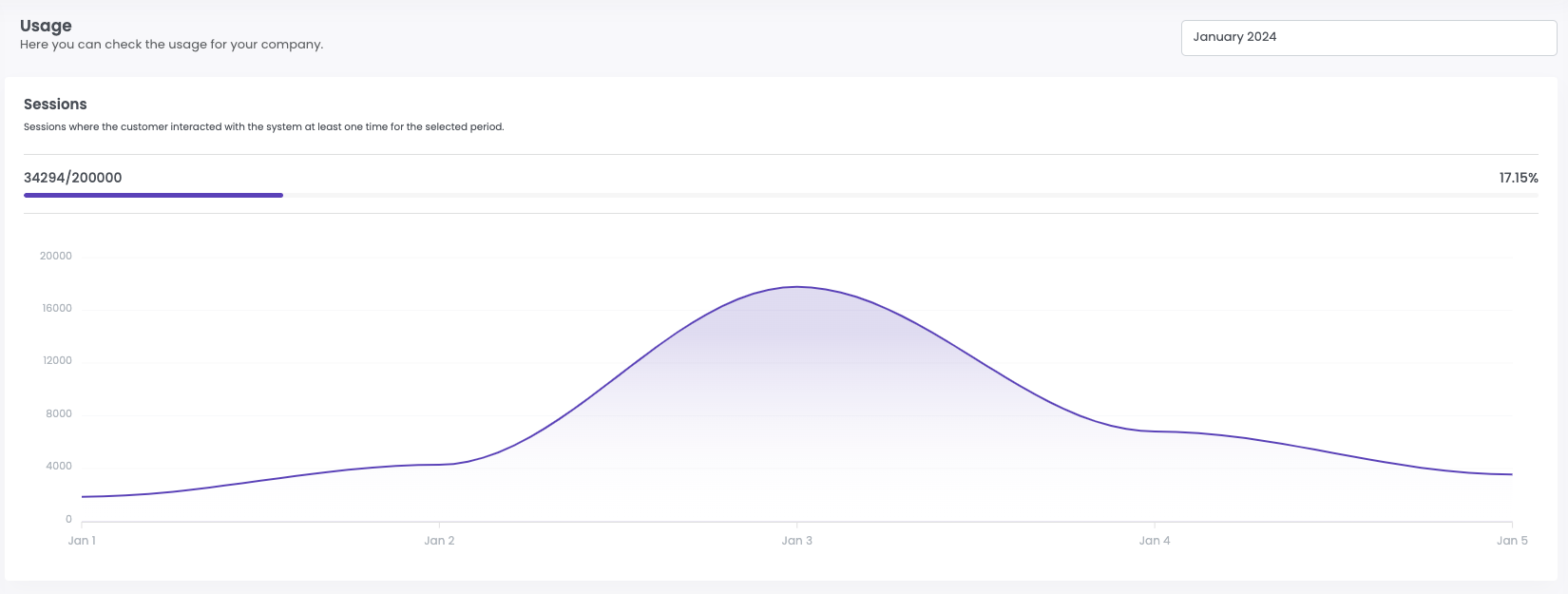

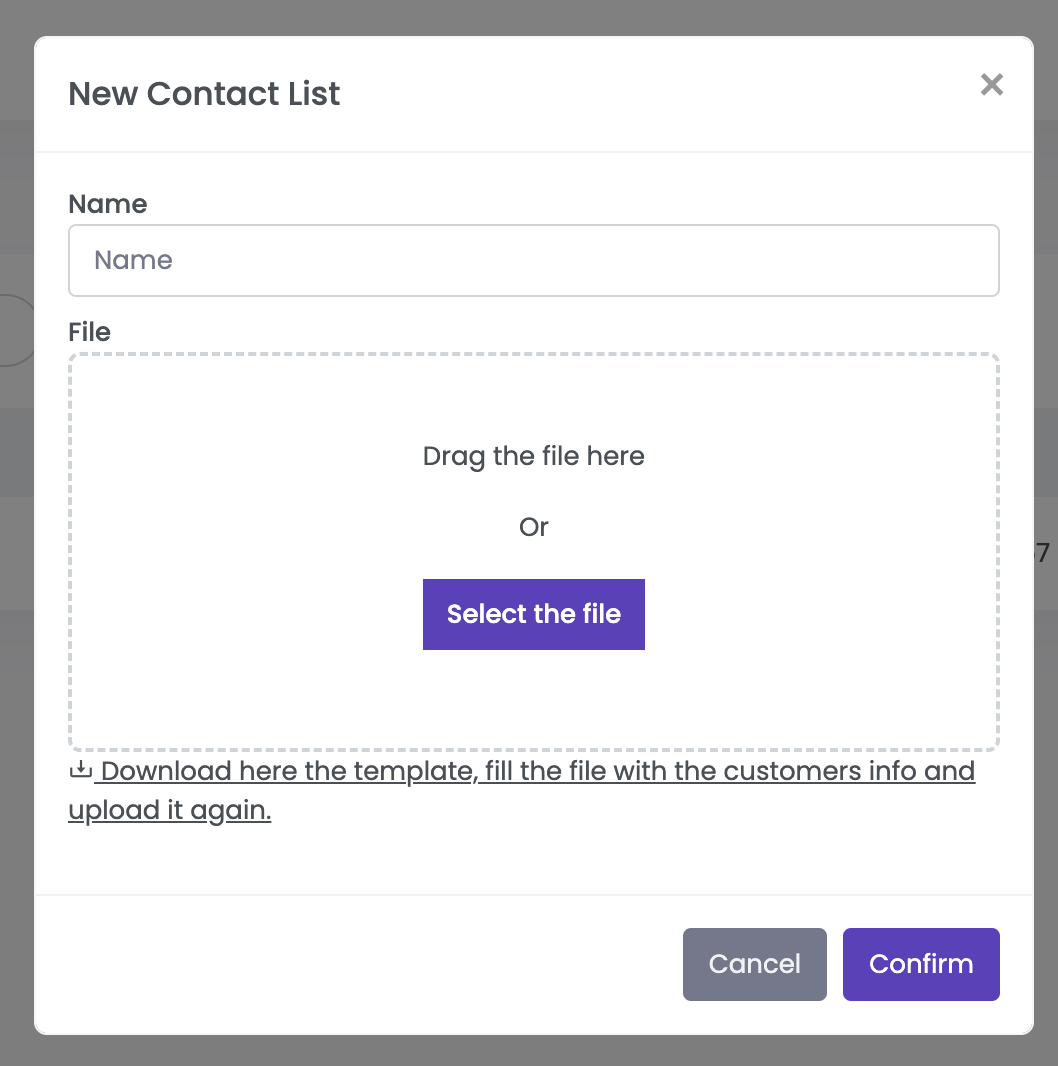


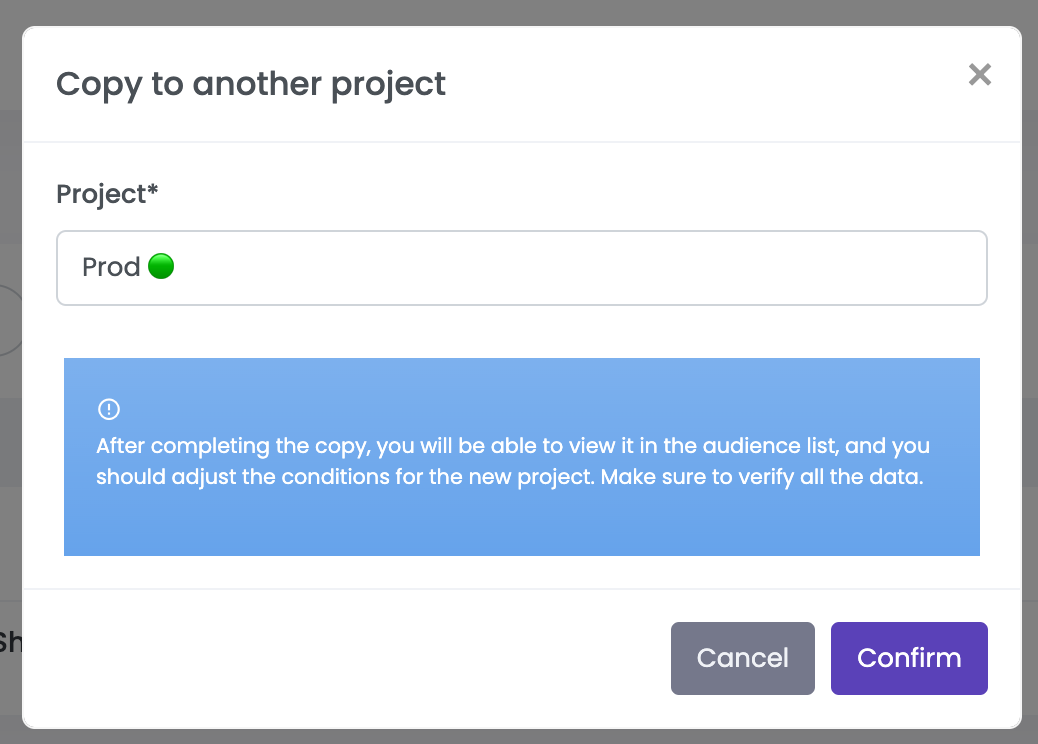

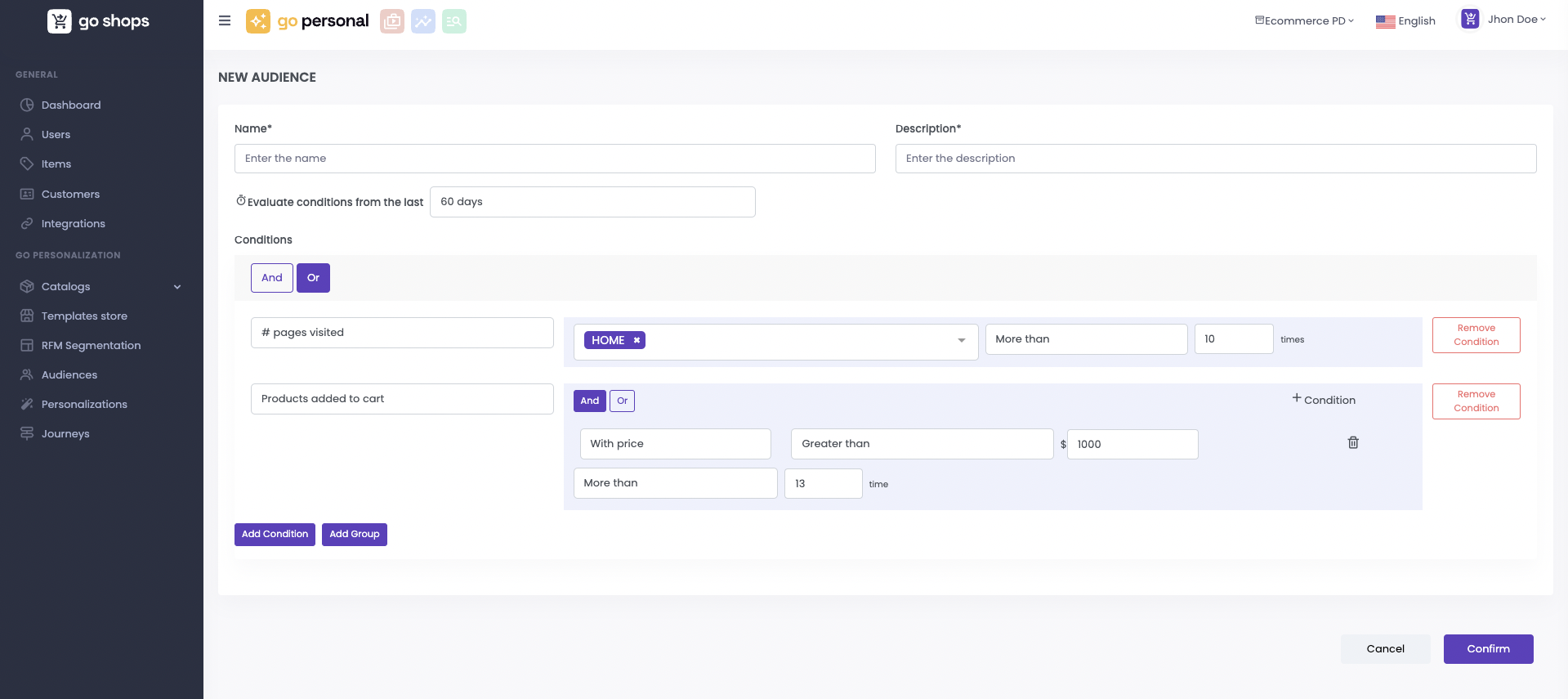


 and selecting the project you can create a copy of the personalization in the selected project.

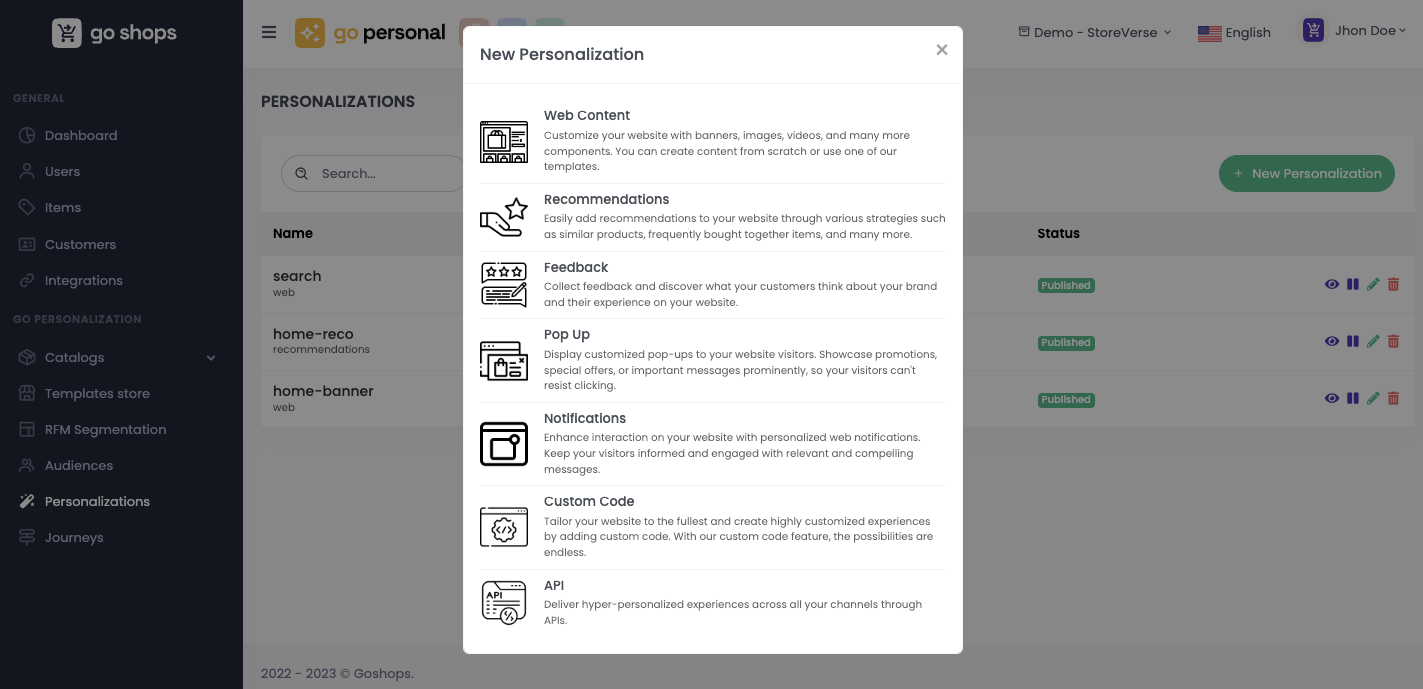


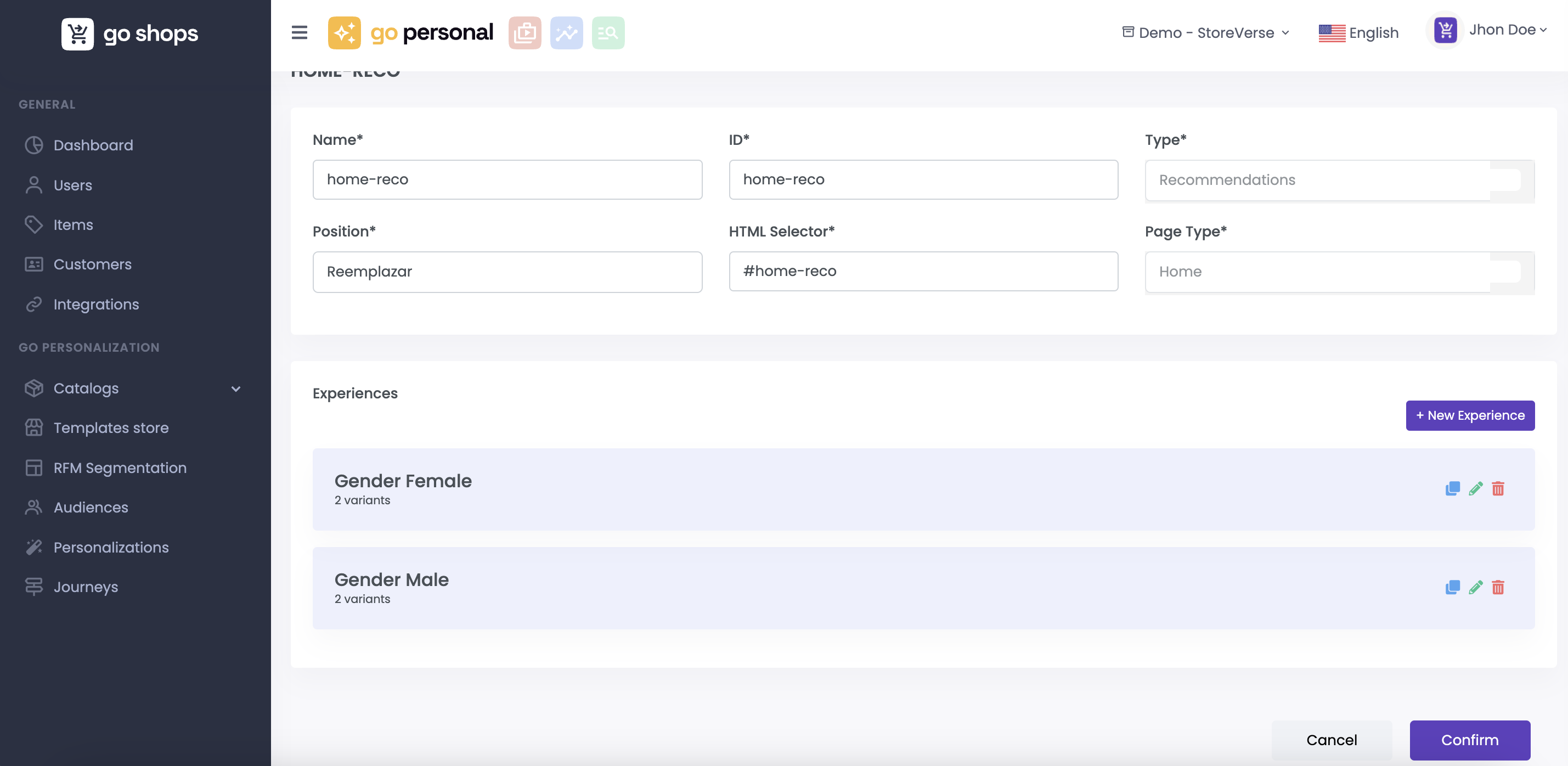
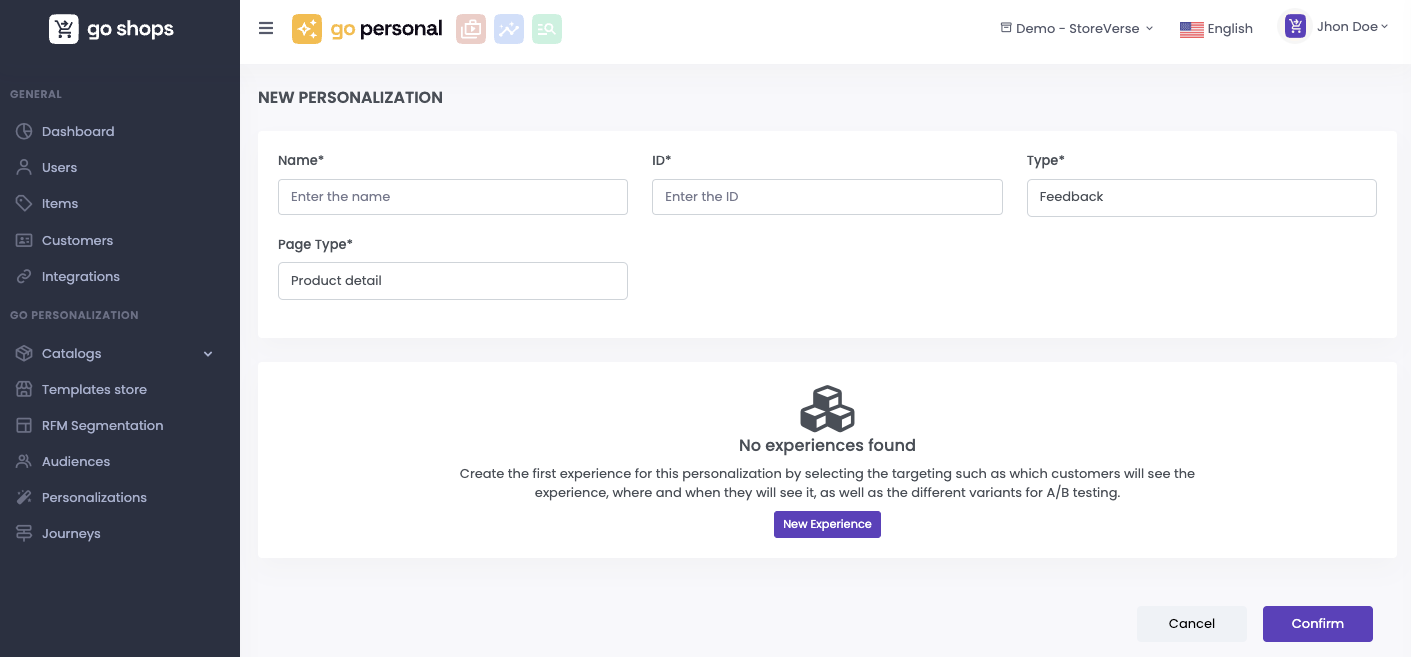
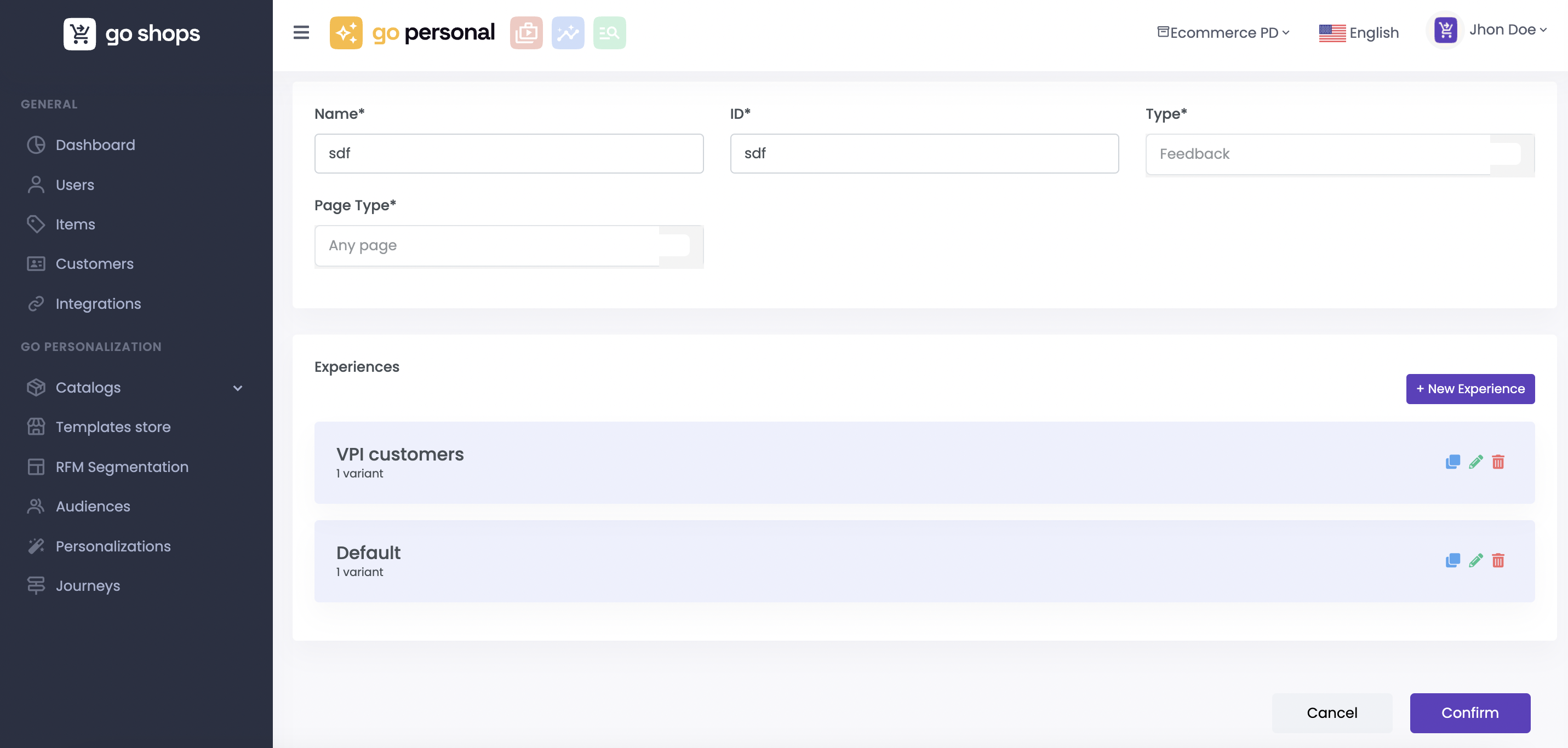


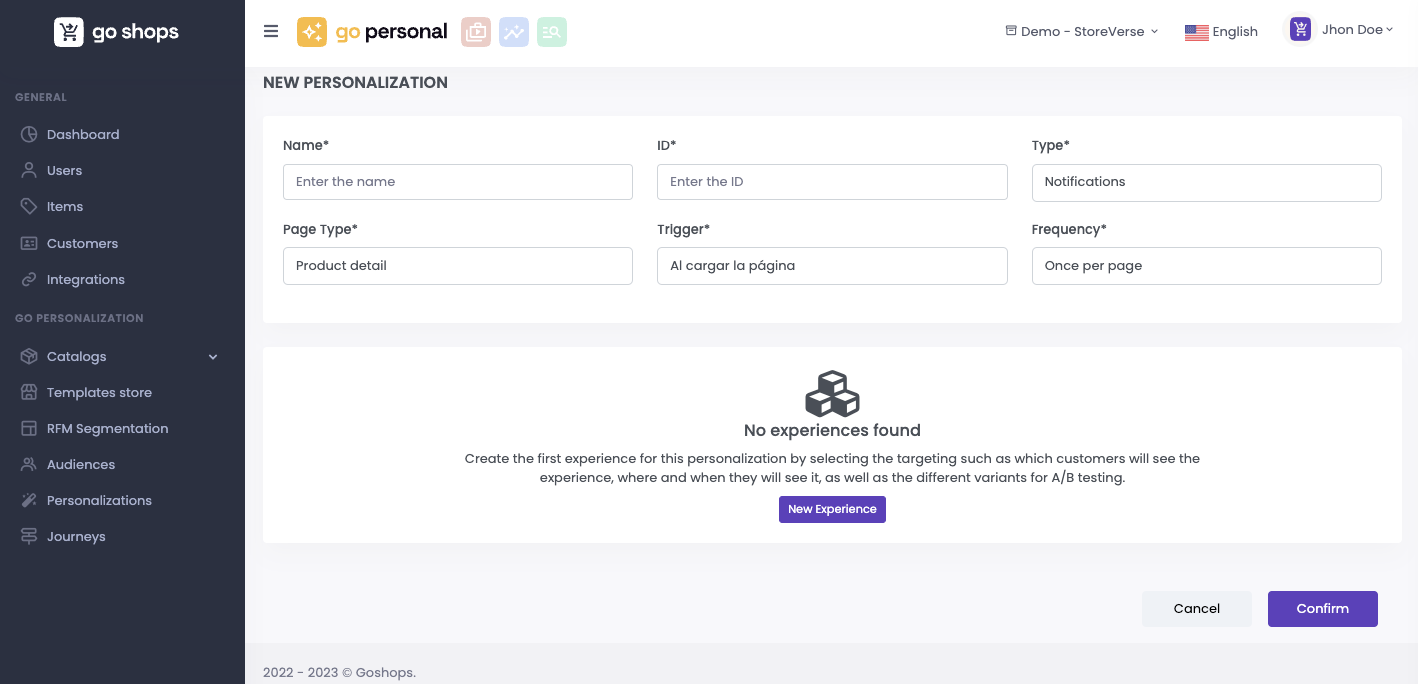
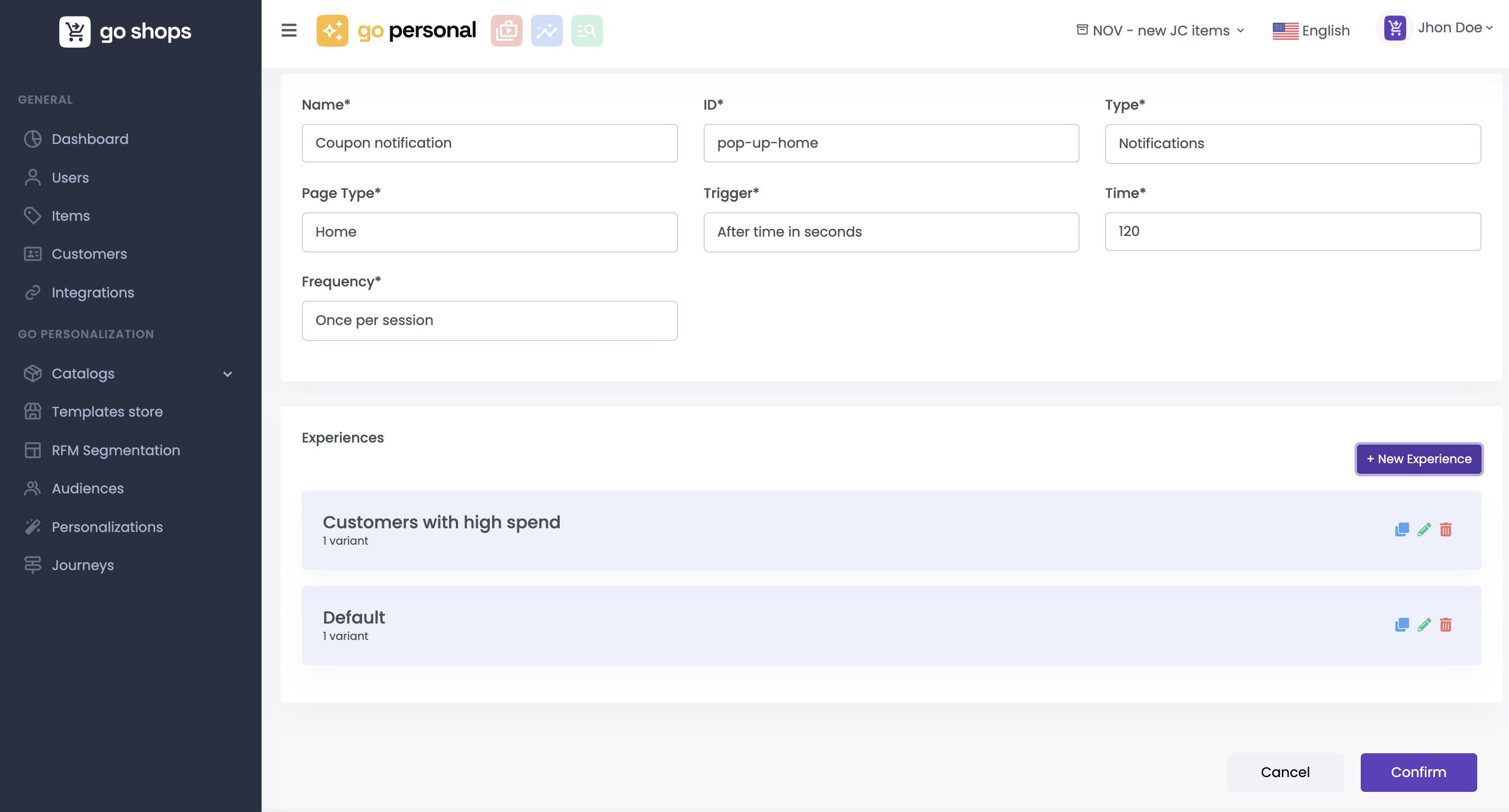


 emerges for the experience, inviting you to explore the current state of the test. Upon pressing this button, a detailed overview materializes, providing a snapshot of the test's progress, impressions, conversions, conversion rates and the likelihood of each variant being the ultimate winner.


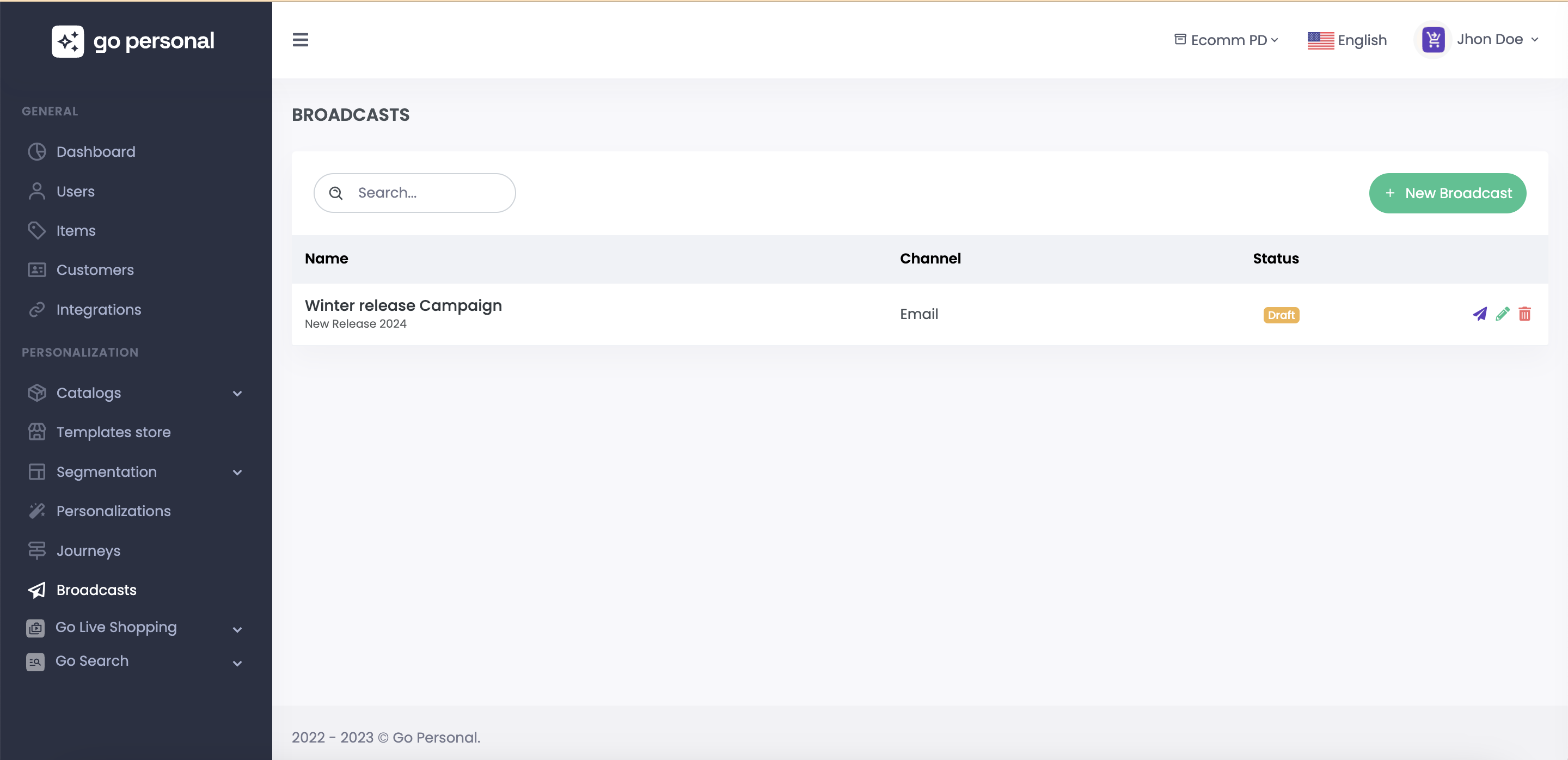
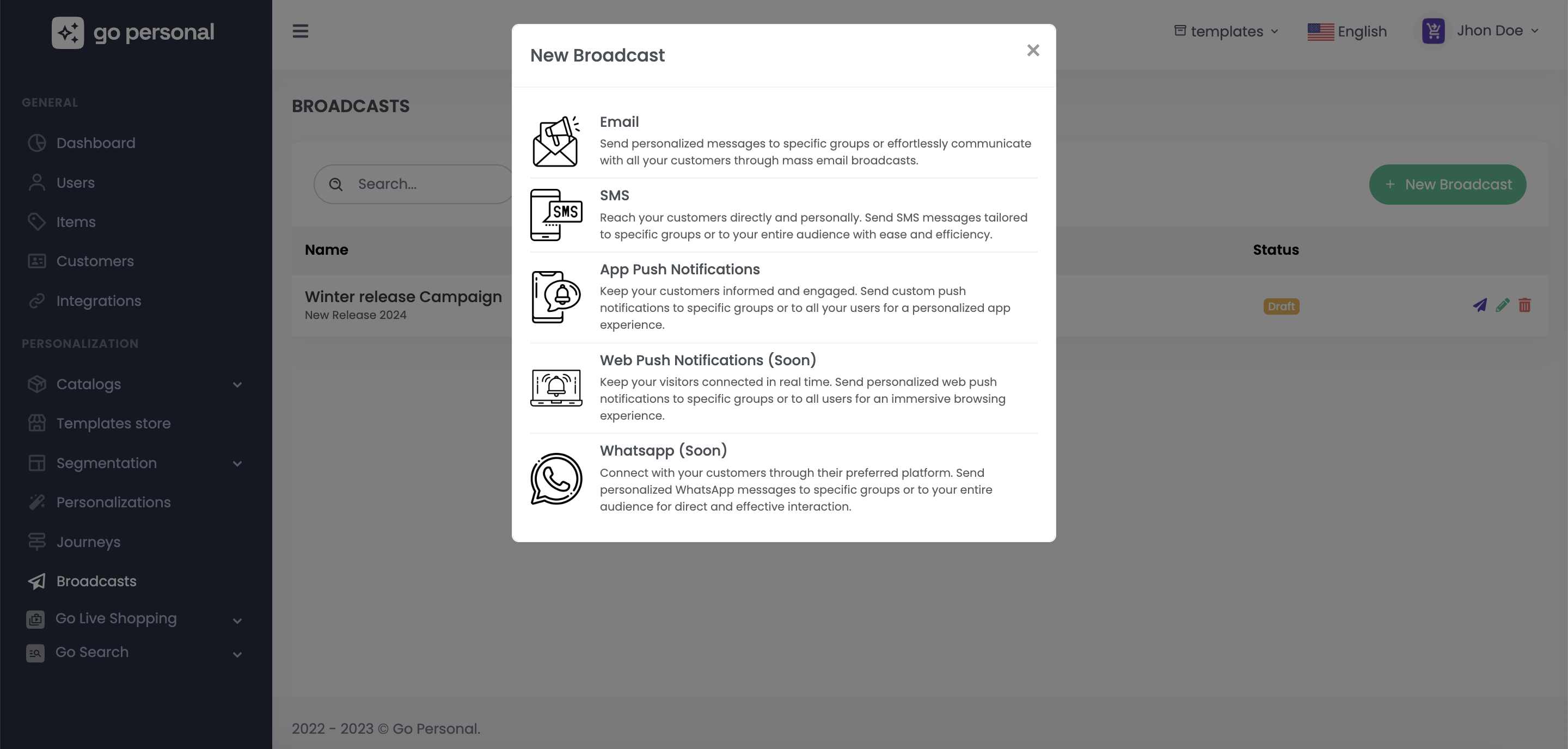
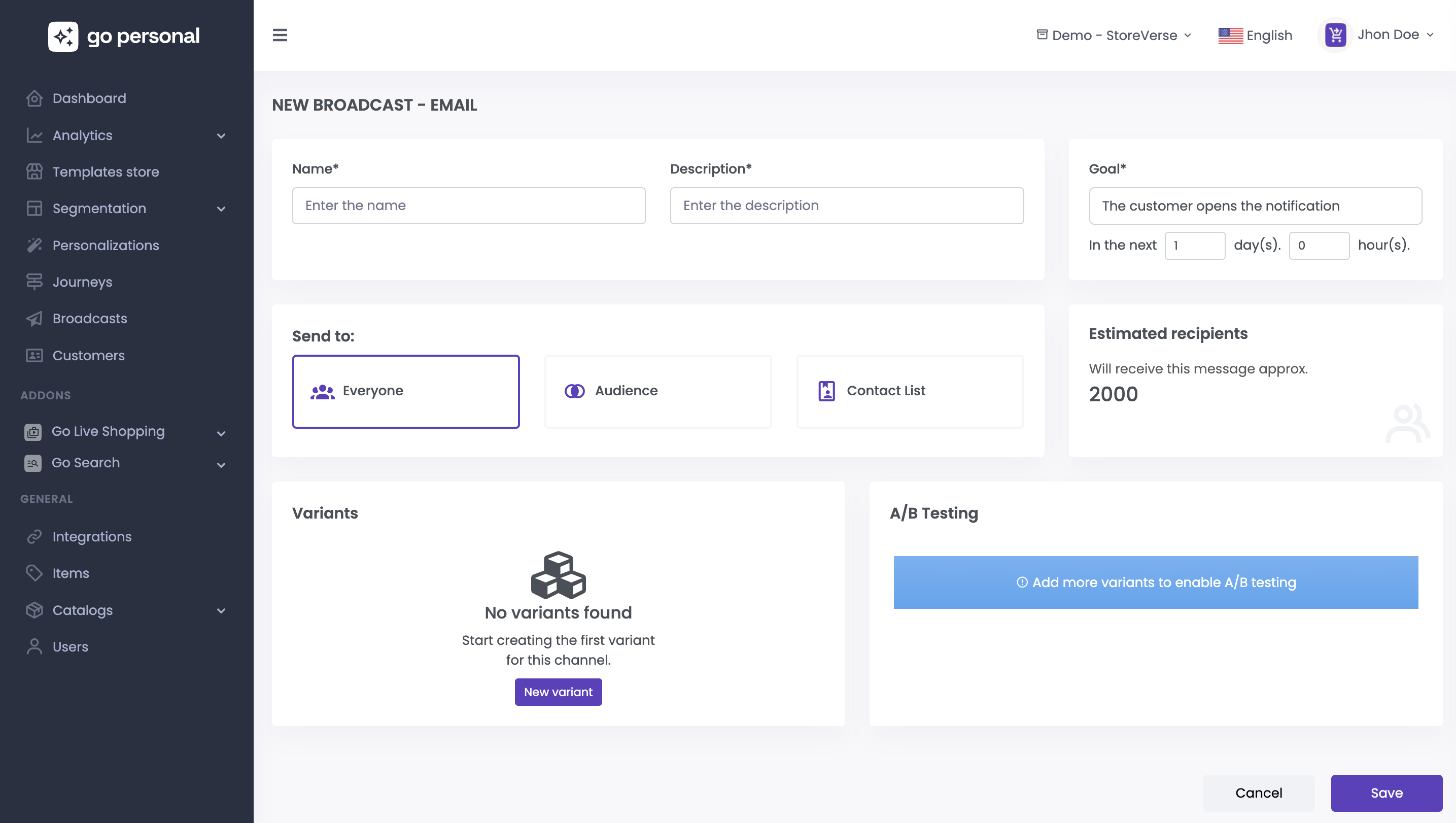


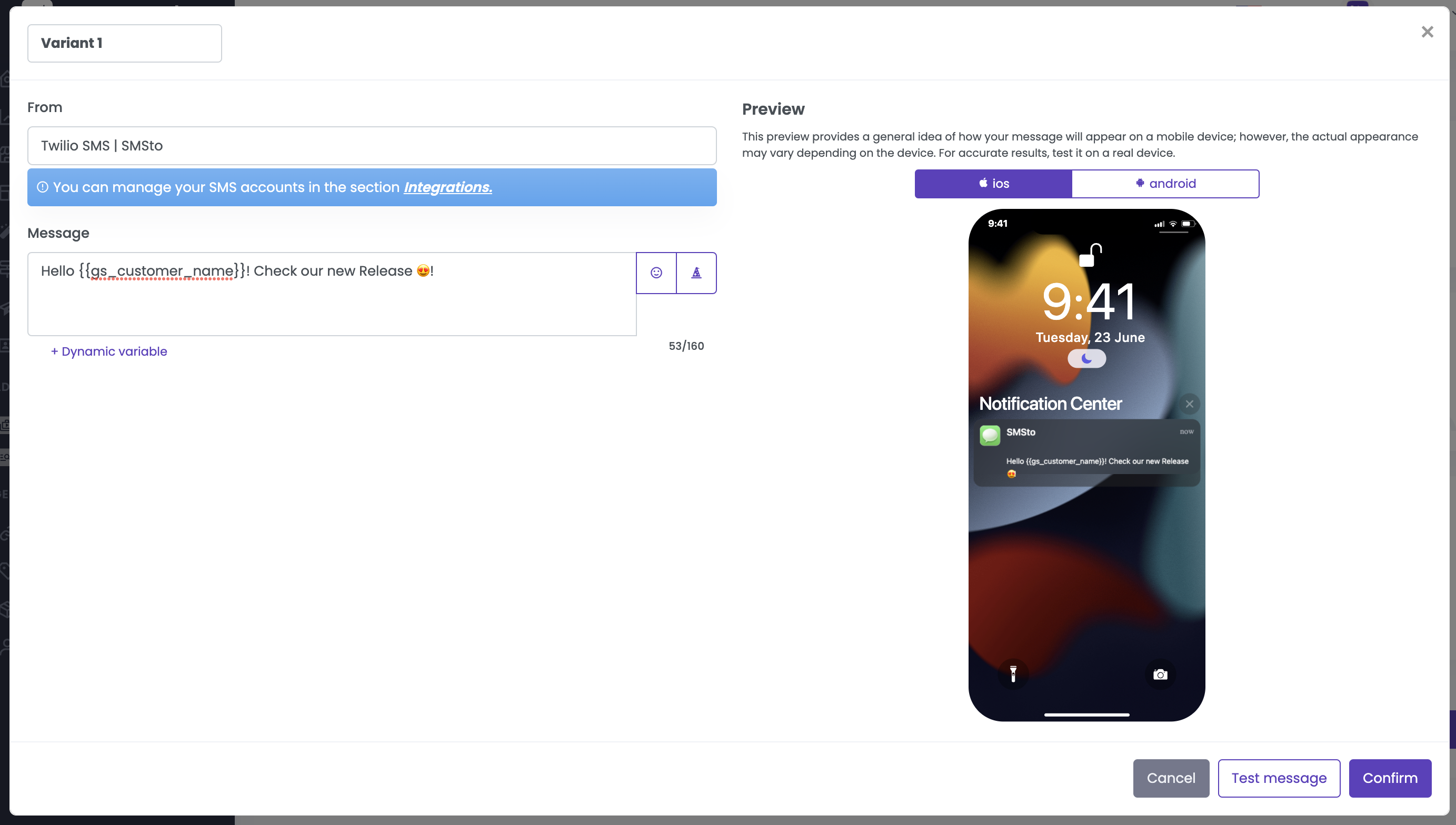
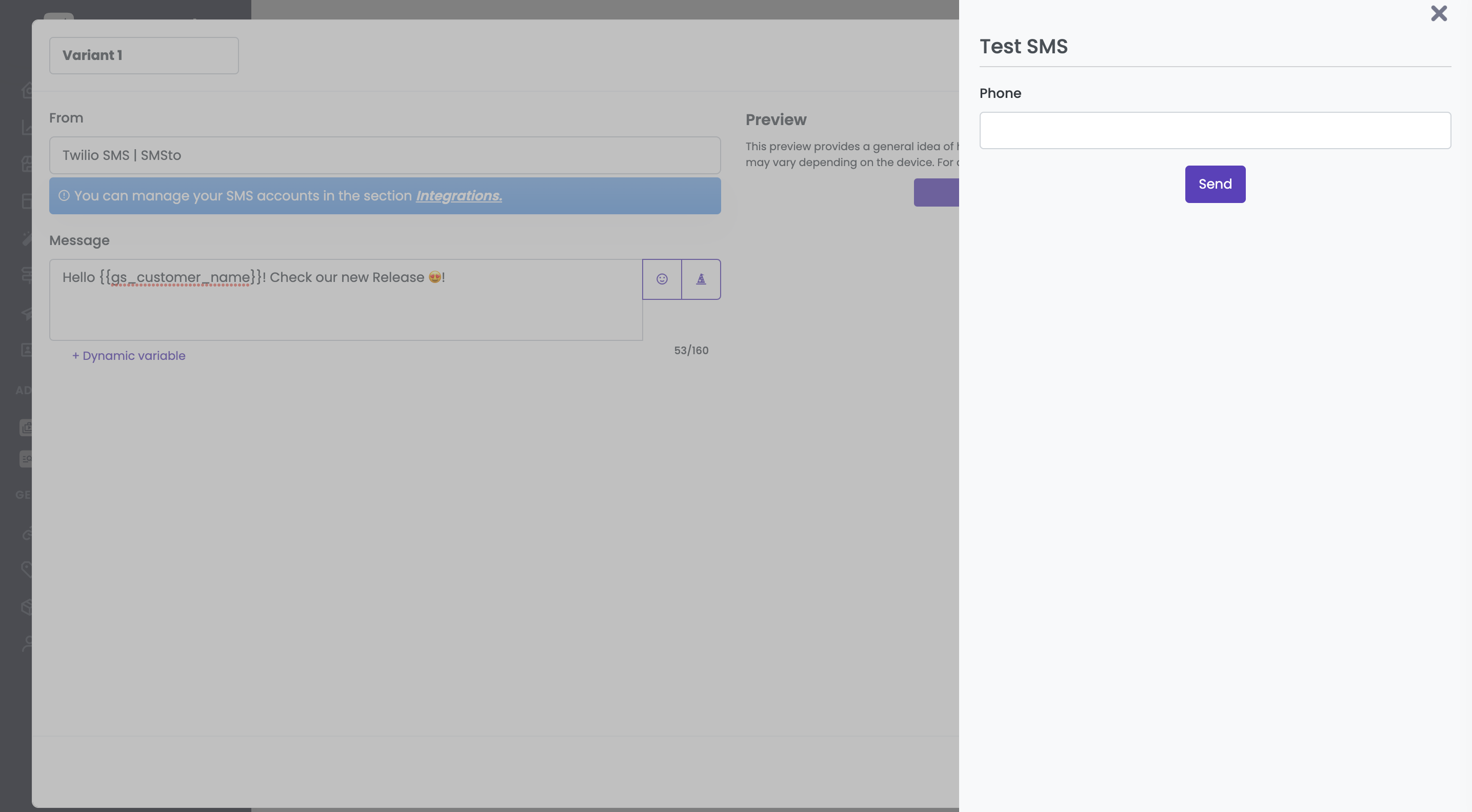


 you get access to a form where you can select the language, a brief description of your use case and check if your want your text with emojis.

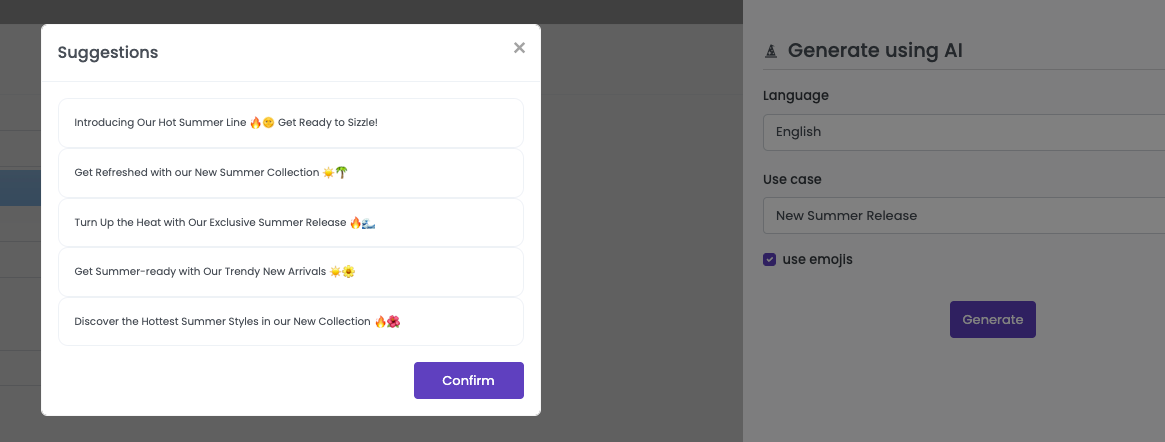
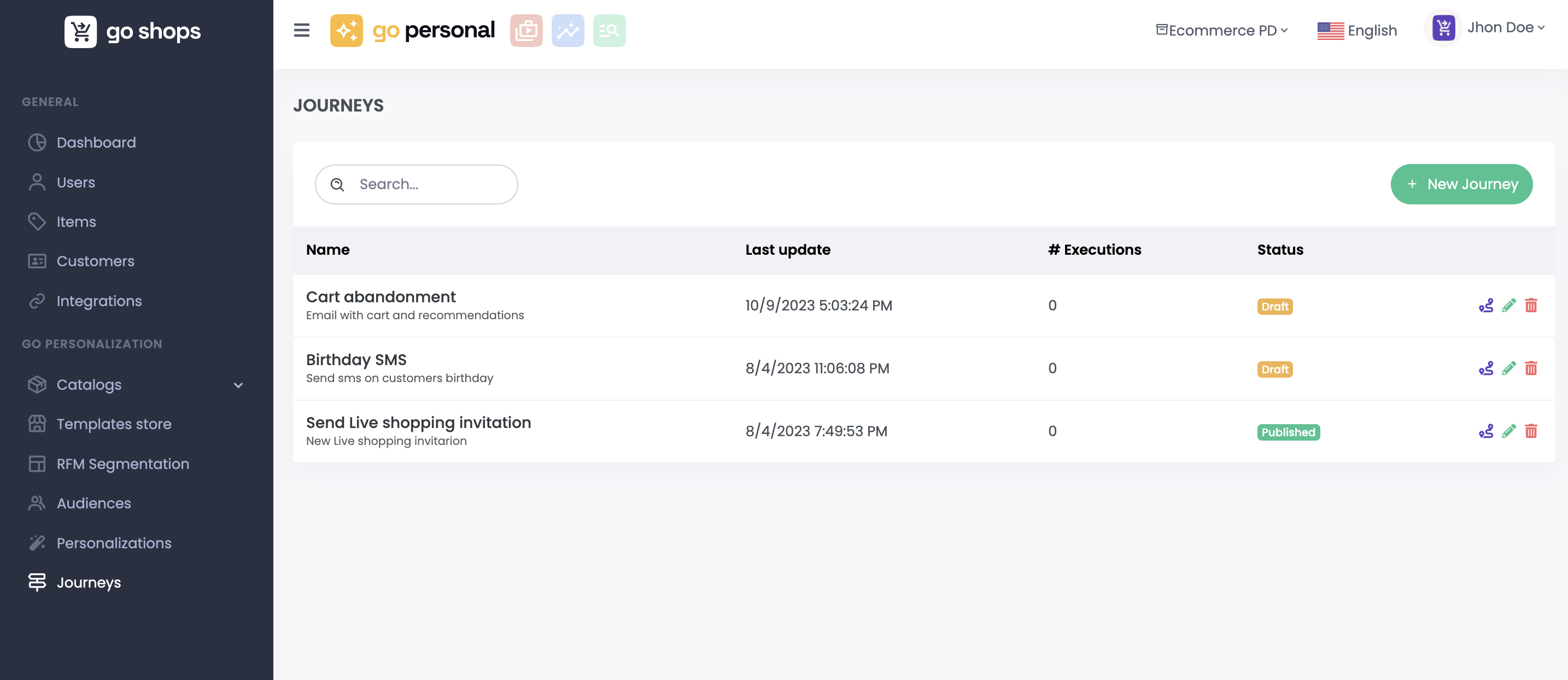
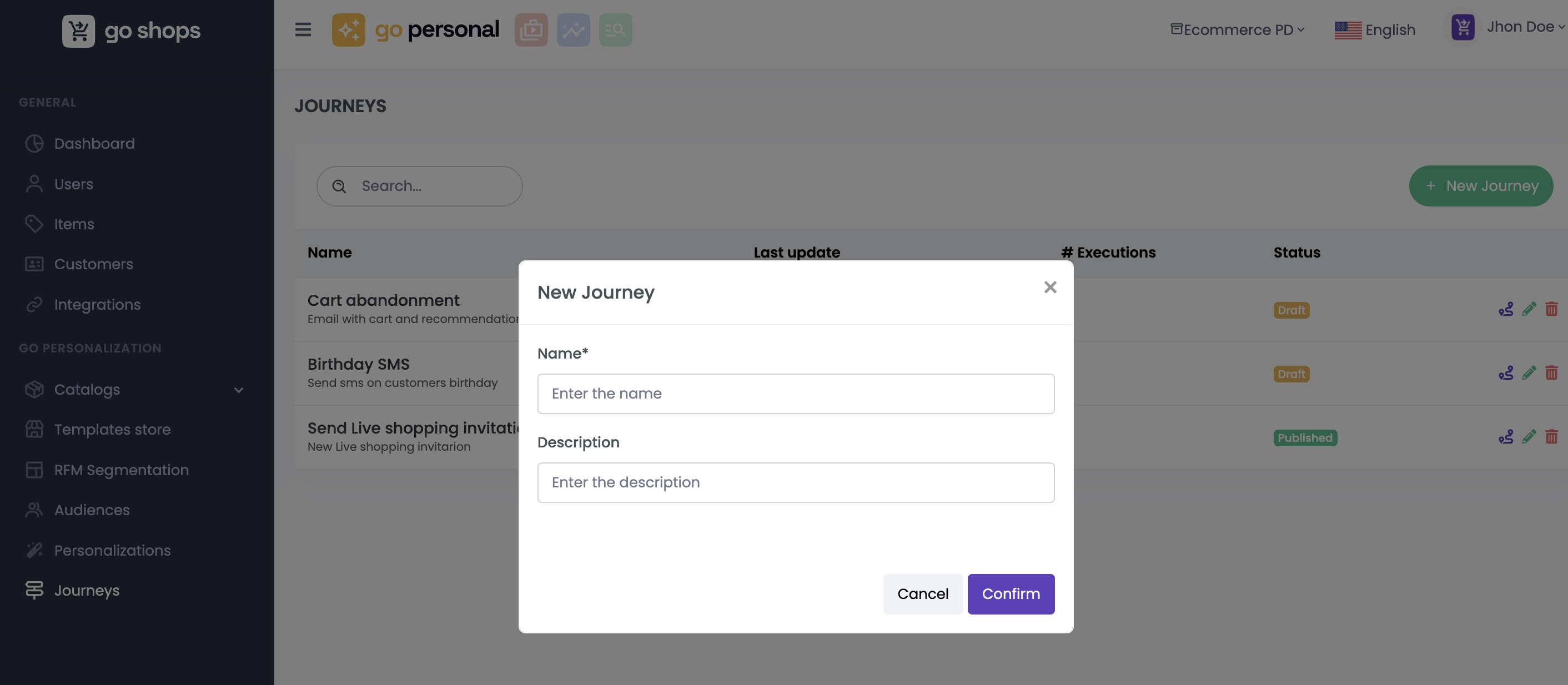
 you enter a realm of creative possibilities, where you can transform your ideas into interactive and engaging User Journeys.
# Workflow
With the Workflow Editor, you can craft both simple and complex User Journeys. Define intricate conditions and personalize interactions based on specific user behaviors. Incorporate diverse communication channels and integrate seamlessly with external systems, enhancing the User Journey's functionality.
you enter a realm of creative possibilities, where you can transform your ideas into interactive and engaging User Journeys.
# Workflow
With the Workflow Editor, you can craft both simple and complex User Journeys. Define intricate conditions and personalize interactions based on specific user behaviors. Incorporate diverse communication channels and integrate seamlessly with external systems, enhancing the User Journey's functionality.